
Migrate Users
As long as there are additional, previously created user accounts in the supplier account which have not yet been transferred to the Onventis Supplier Portal, a notification icon appears in the customer list instead of the user icon. By clicking on the icon, you will be taken to a page where you can Approve or Reject the previous user accounts.
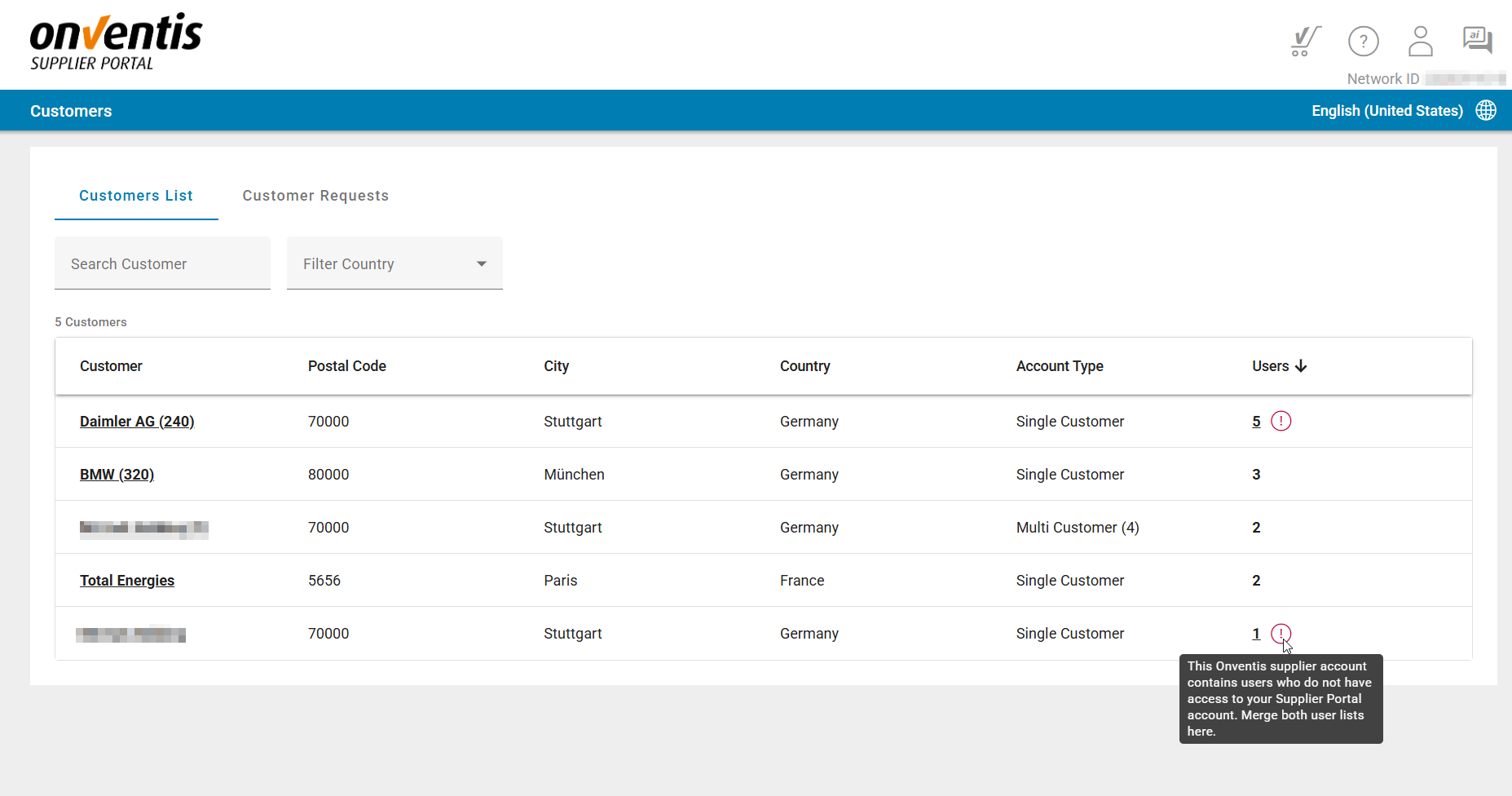
Customer list shows notification for open user migration

Approve or Reject users not migrated yet from Supplier Account to the Portal account
Migrate Unlinked Users
A new migration process ensures all legacy TC users are properly represented in the Supplier Portal.
Key Enhancements
Dashboard banner + Customer List icon highlight accounts requiring migration.
User Assignment & User Request tabs are locked until migration is complete.
New tab Migrate Users appears when unlinked users exist.
Page lists all unlinked users.
Admin can approve or reject each.
Approval Flows
If requested email matches an existing portal user
Dialog offering “Link User”.
On approval:
User is linked.
Assigned as user to the customer
If not matched
Dialog offering “Create New User”.
On approval:
New user is created.
Assigned as user to the customer