
Shared Custom Views

Shared Custom Views allow CLM users to standardise and reuse Contract Repository configurations across teams.
This improves collaboration and reduces the need to recreate views individually.
🌍 Overview
Custom Views define how contracts are displayed in the repository (filters, sorting, grouping, columns).
With sharing enabled, these views can be reused by other users within the same organisation.
👤 Who Can Use This
All CLM users working with the Contracts Repository.
💼 Where Shared Views Are Available
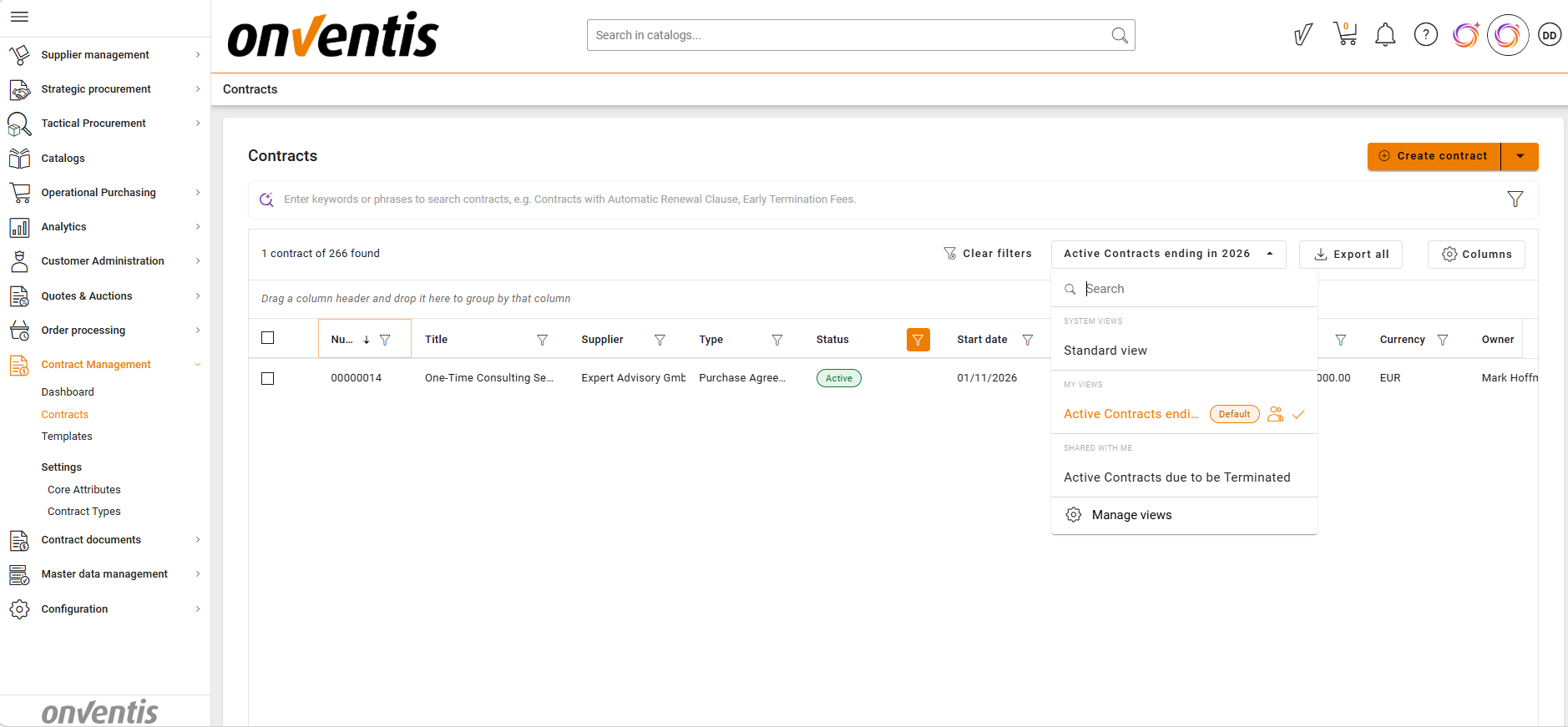
Shared views are available in the Contracts Repository.
Users can access them alongside their personal views.
💡 How Shared Views Work
Sharing a View
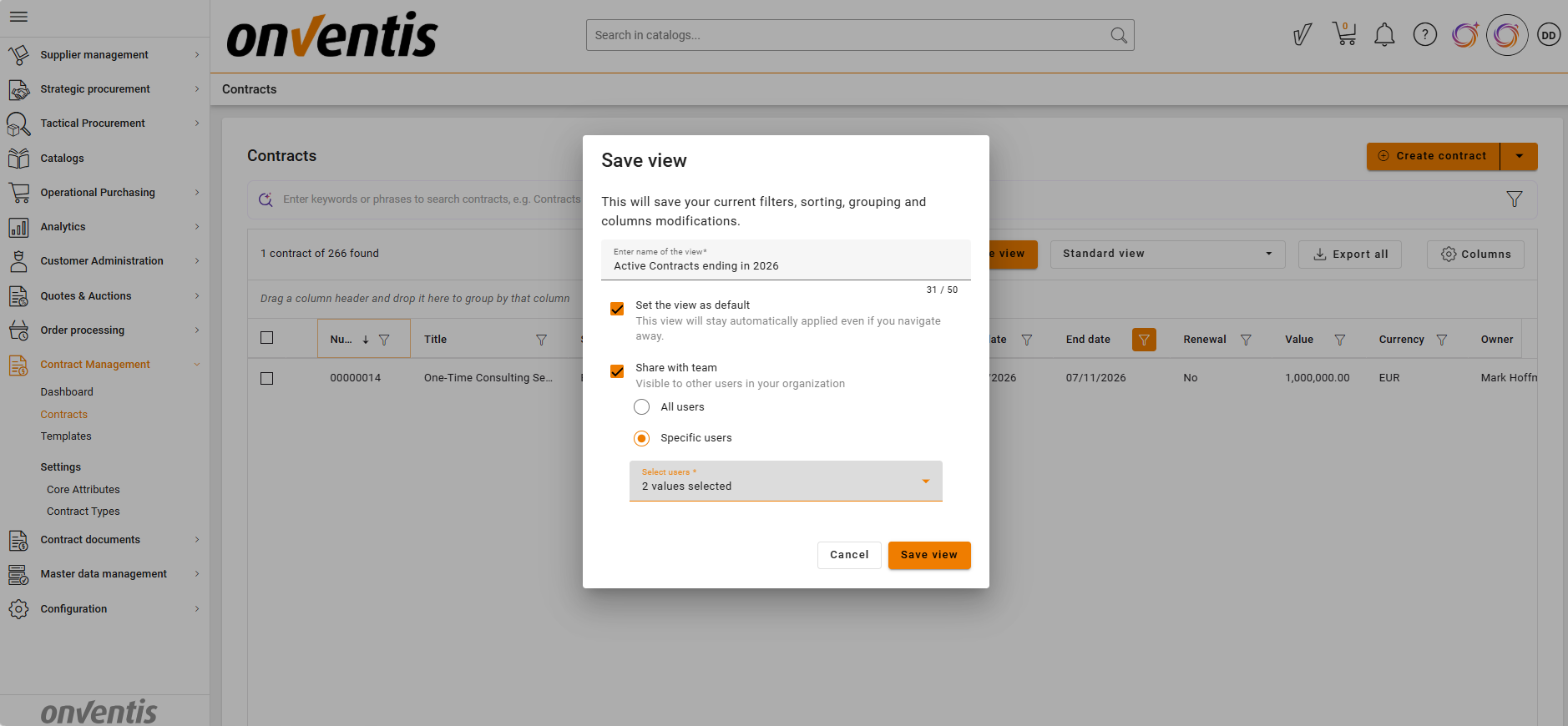
Users can share their custom views with:
Specific users
All users within the organisation
Using Shared Views
Other users can:
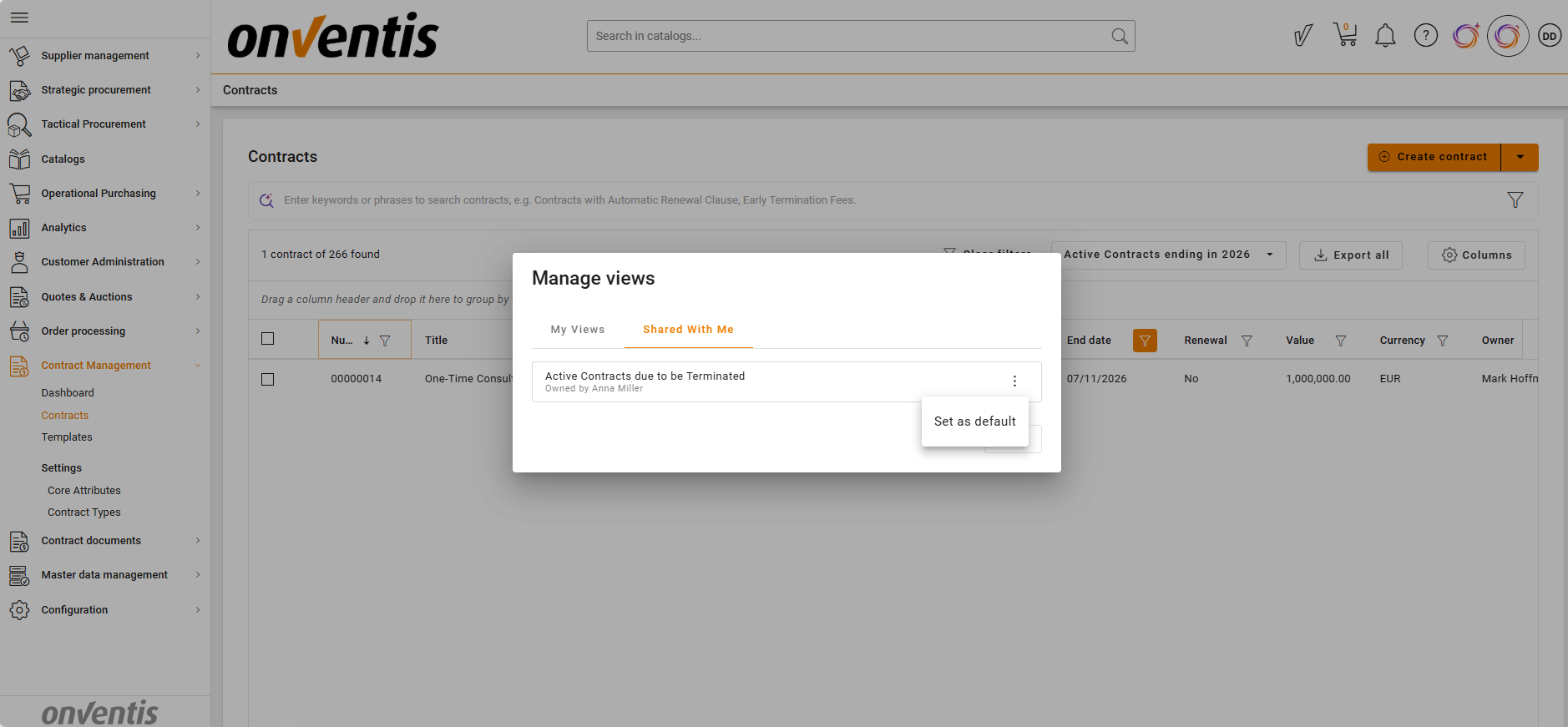
View and apply shared configurations
Set them as their personal default view
Ownership and Control
Only the view owner can edit or delete a shared view
Other users can only use the view
📌 Typical Use Cases
Standardising contract reporting across teams
Sharing predefined filters for audits or reviews
✅ Best Practices

💡 Tips for Effective Use:
Create shared views for team-wide processes
Keep personal views for individual working preferences