
How to set up Reminders

The Reminders feature helps you proactively monitor important contract dates by sending notifications before key milestones—such as start, end, termination, or custom date deadlines.
You can configure reminders on Templates (for standardisation) and on individual Contracts (for contract‑specific needs).
🗺️ Overview
Reminders ensure that contract owners and stakeholders never miss critical lifecycle dates.
They support better governance, compliance, and operational efficiency across your organisation.
You can define what date a reminder is based on, when it should trigger, and who should receive it (contract‑level only).
🧑🦱 Who Can Use This
Reminders can be set up at template or contract level by users with the CLM Power User license.
Reminder configuration is visible to users with the CLM Business User or Power User license.
Reminder emails are sent to:
Contract Owner — always
Selected Editors / Viewers (optional recipients)

💡 Note: Users only receive reminders for contracts they have permission to view.
💼 Where Alerts Can Be Configured
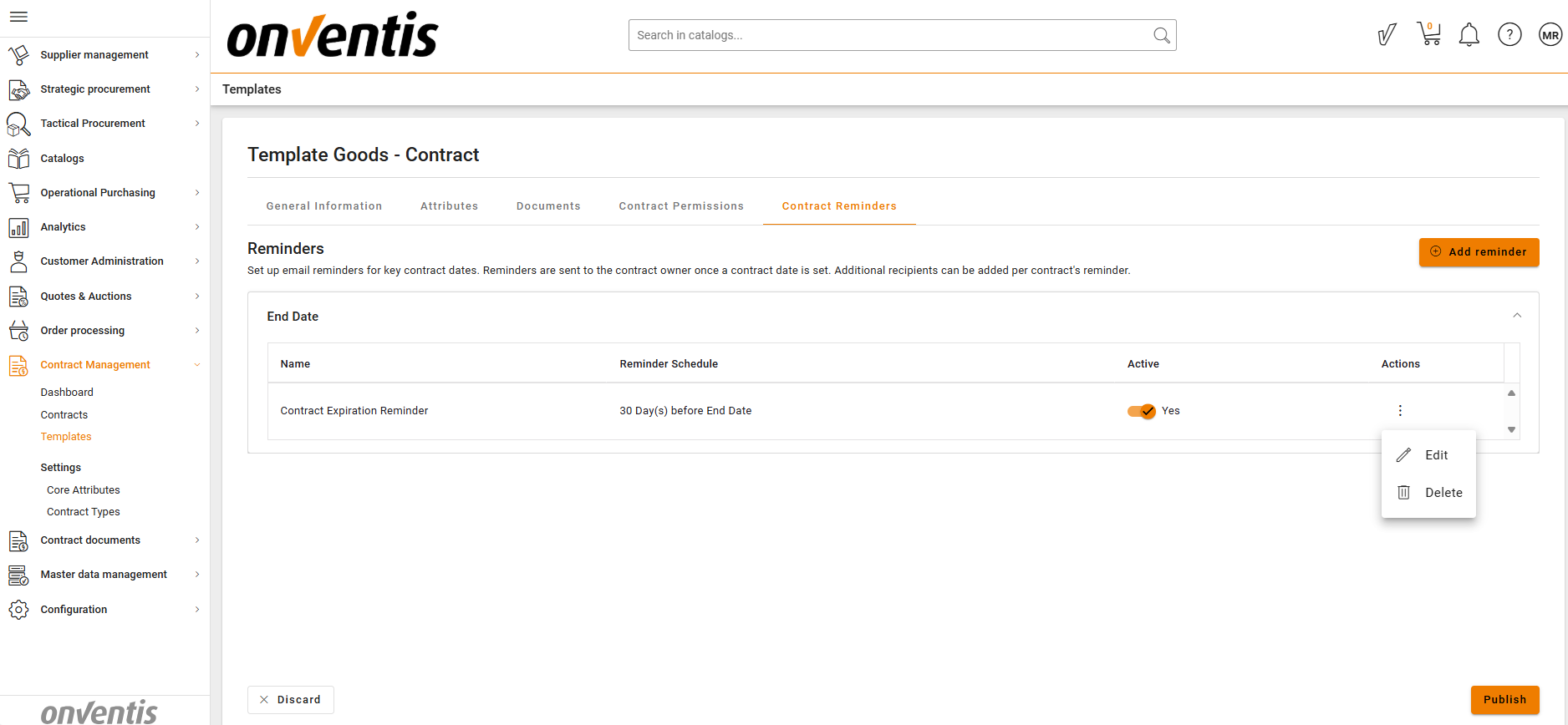
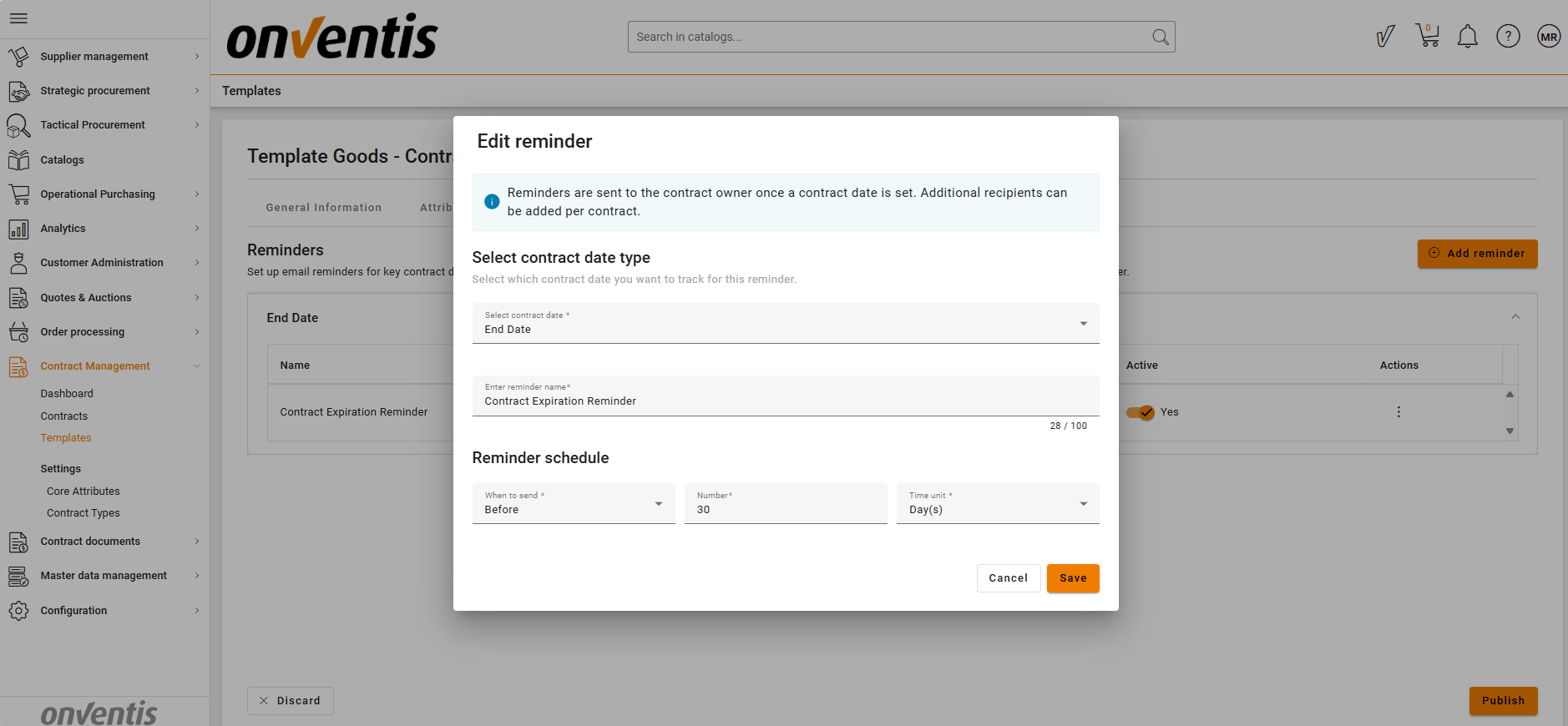
1. Template Level
Alerts defined at template level are inherited automatically by any new contract created from that template.
2. Contract Level
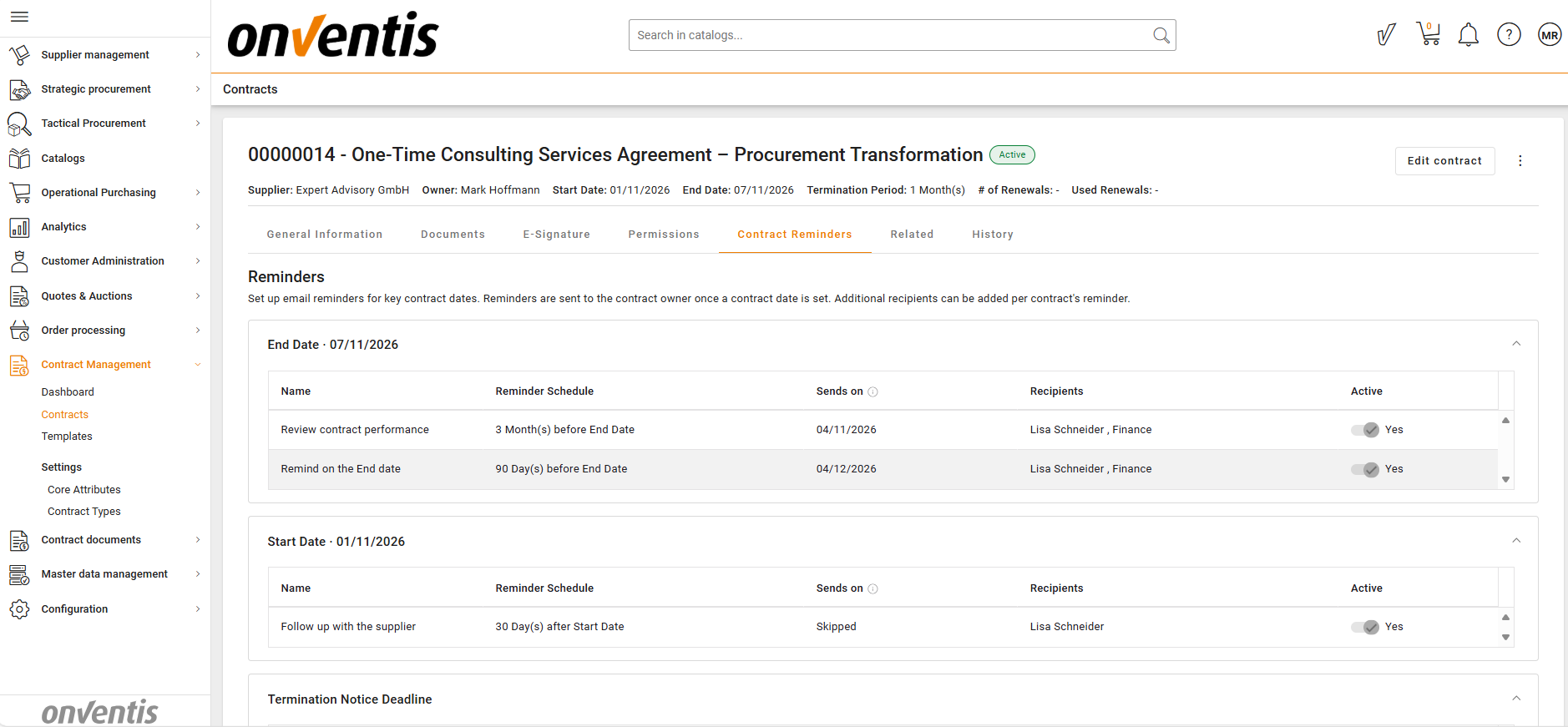
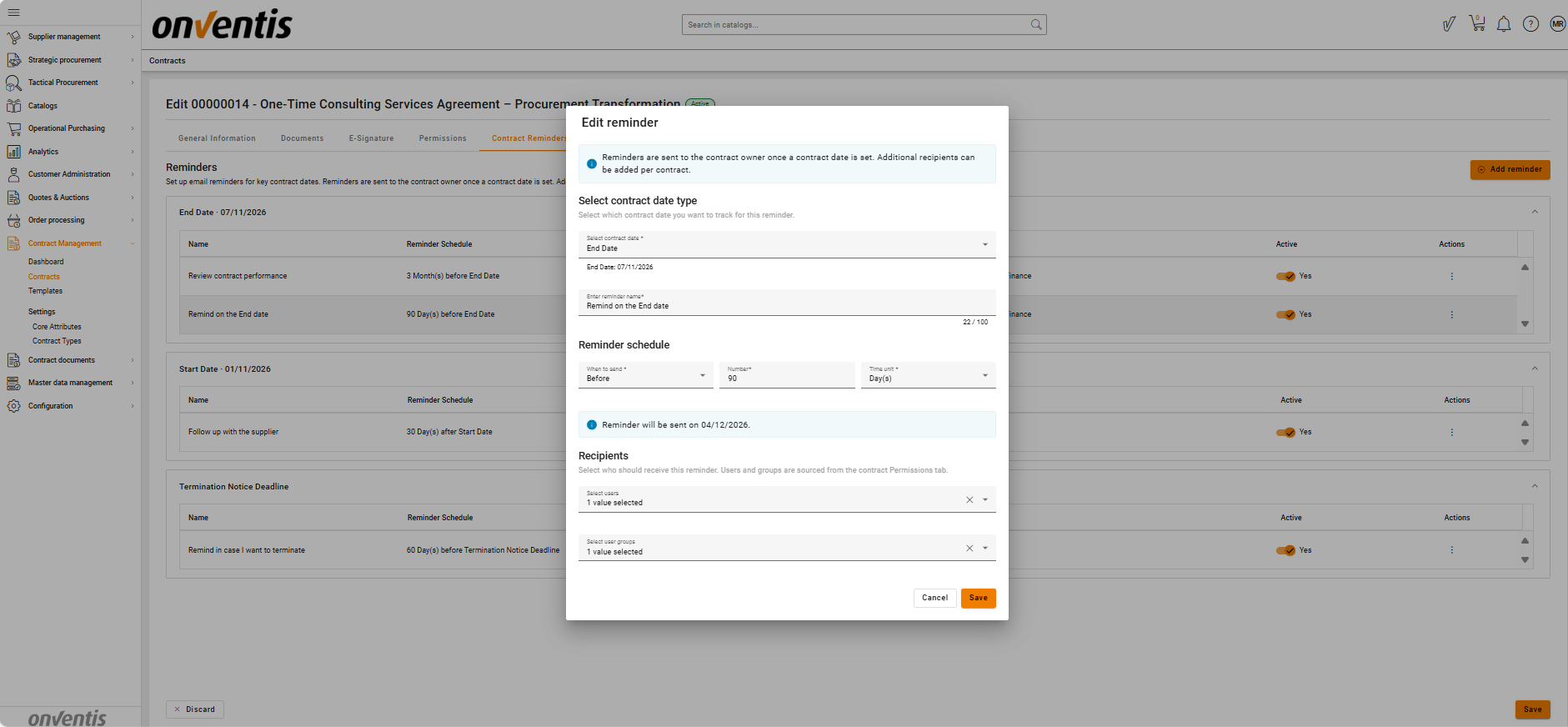
Contract Managers can add, adjust or remove alerts directly in the contract.
Use this when:
The contract has unique obligations or dates
Negotiated deadlines differ from template defaults
Additional project‑specific reminders are needed
💡 How Reminders Work
Alerts are based on date fields in the contract:
System dates (Start Date, End Date, Termination Effective Date)
Custom date attributes (Termination Deadline, Review Date, Delivery Due Date, etc.)
For each alert, you define:
The date field to monitor
The trigger time, e.g. “30 days before expiry”
The recipients
Notifications are sent via email.
📌 Typical Use Cases
Renewal Reminder
Notify Contract Owner 90 / 30 / 7 days before a contract end date.Custom Obligations
Use custom attributes like “SLA Review Date” or “Delivery Inspection Date”.Risk Monitoring
Assign alerts to Legal or Compliance teams for specific milestones.
⚠️ Limitations
Alerts do not create tasks or integrate with task workflows.
Custom date attributes must exist before they can be used in alerts.
Notifications cannot be sent to external suppliers.
⭐Best Practices

💡 Tips for Effective Use:
Configure standard alerts at Template level to ensure consistent reminders.
Add contract-level reminders to reflect negotiated or project-specific obligations.
Use multiple alerts (e.g. 90/30/7 days) for important expiry or renewal events.
Regularly review reminder settings after changes in:
Custom attributes
Contract Ownership
User Permissions
Use descriptive custom date fields to make alerts clear for all users.