
How to Re-Activate a Contract

This article explains when and how an Inactive contract can be re-activated.
🗺️ Overview
Re-activation allows an Inactive contract to return to an Active state when the business relationship is extended through renewal. Re-activation is not a standalone action - it is always performed through the renewal process and follows the same business rules as contract activation.
This approach ensures that only contracts with valid renewal rights can become active again and that contract data remains compliant and consistent.
🧑🦱 Who Can Use This
Manual re-activation is available to:
CLM Power User
No automatic re-activation allowed.
💻 General rules
Manual re-activation is available only for contracts in Inactive status and only when all of the following conditions are met:
Has Renewal Clause is yes
Renewals Used < Number of Renewals
The contract has a defined End Date (definite contract)
The contract’s Start Date must be earlier than or equal to the re-activation date
If these conditions are not met, re-activation is not possible.
🧩 Note: If all renewal cycles for a contract have been used, users can update the “Number of Renewals” attribute to add additional renewal cycles and allow further re-activation.
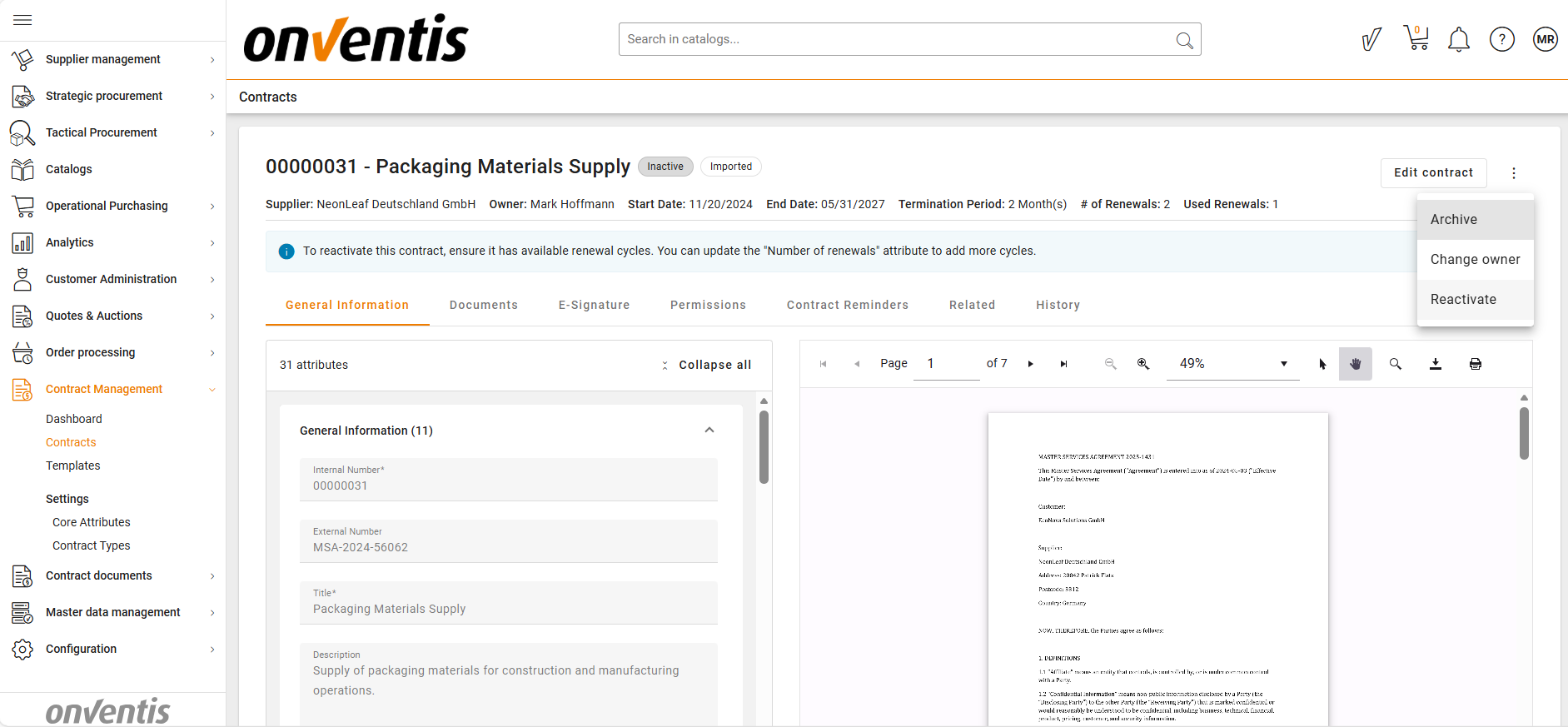
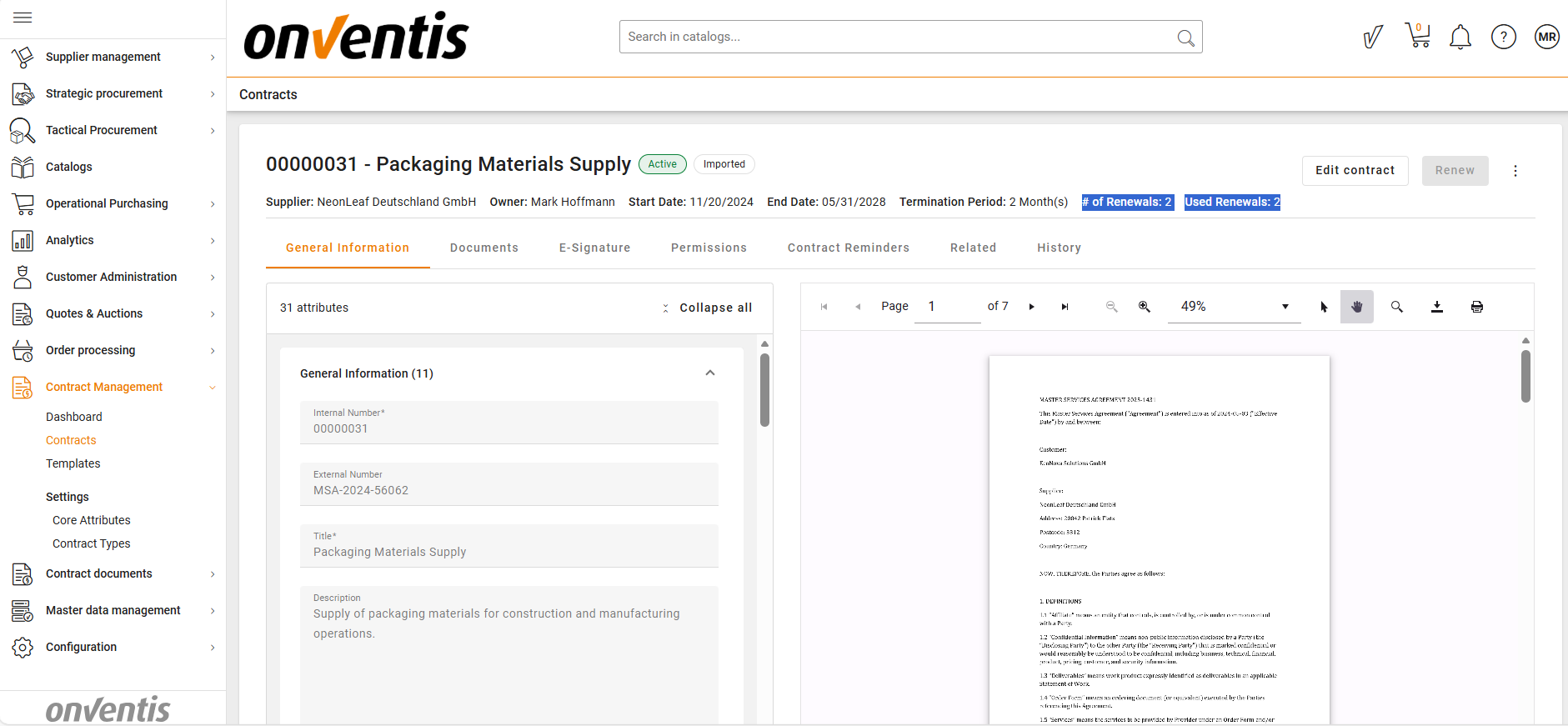
Re-activation must follow the Renewal flow:
The contract is renewed
As part of renewal, the contract transitions from Inactive to Active
Renewal actions are not available for Inactive contracts unless they are being re-activated through renewal.
When a contract is re-activated:
The contract moves from Inactive to Active
The End Date is extended by the defined Renewal Duration
The Start Date remains unchanged
The Used Renewals counter increases by 1
An email notification is sent to inform Viewers/Editors and CLM Power User
🧩 Note: Re-activation without renewal is not allowed.
Best Practices

💡 Tips for Effective Use:
Use re-activation only when the contract is being legitimately extended through renewal.
Review renewal availability before attempting to re-activate an Inactive contract.
Ensure all required contract data and documents are up to date to pass activation validations.
If no renewal rights remain, consider whether the contract should remain Inactive or be Archived.