
How to perform Bulk Updates

Bulk Update allows you to efficiently modify multiple contracts at once by selecting them directly in the Contract Repository. It helps streamline administrative work, ensures consistency, and reduces manual effort when managing large contract portfolios.
You can bulk‑update contract ownership or change contract status where permitted.
🌍 Overview
Bulk Update supports centralised management of contracts that require the same modification.
You can perform two types of updates:
Updating the Contract Owner for multiple contracts
Updating the Contract Status (Active → Inactive, Inactive → Archive)
Bulk updates skip any contracts that are not eligible for the selected action, ensuring data integrity and predictable behaviour.
👤 Who Can Use This
Bulk Update actions are available to users with the CLM Power User license.
💡 Note: Only contracts for which the user has sufficient permissions appear as eligible for bulk updates.
💼 Where Bulk Updates Can Be Performed
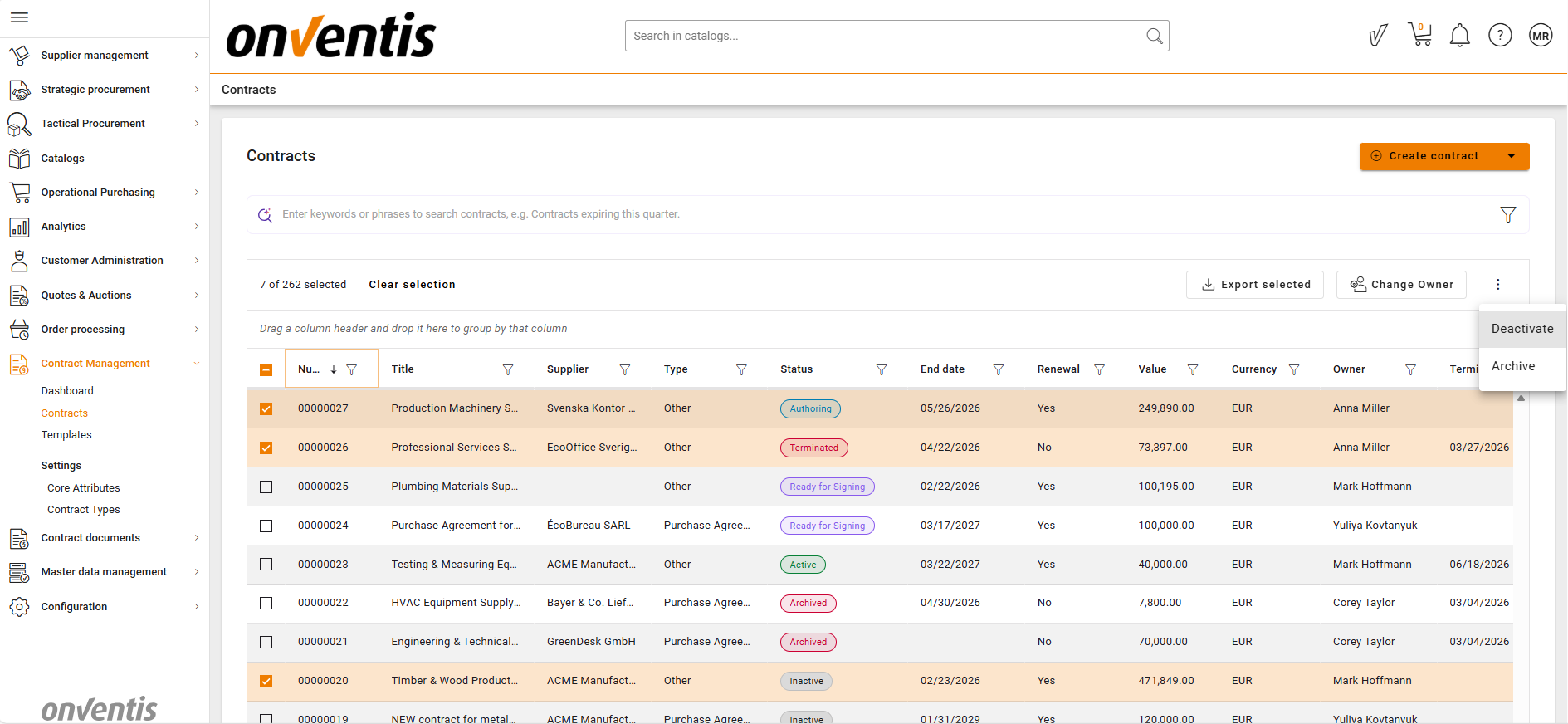
Bulk updates are executed through the Contract Repository using multi‑selection.
Update Contract Owner
Assign a new owner to multiple selected contracts.
This action does not automatically grant Own Contract access rights to the new owner.Status Update (Active → Inactive)
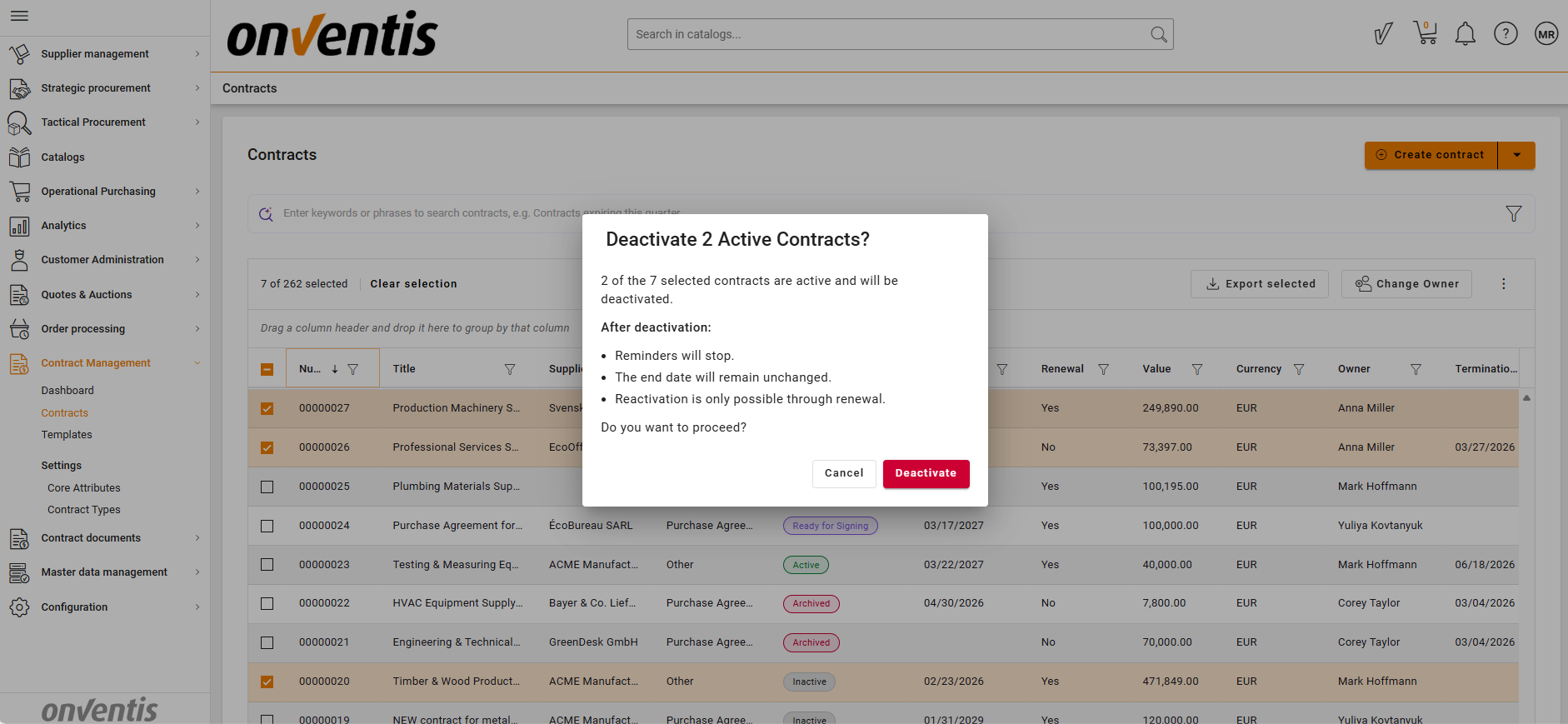
Deactivate multiple contracts simultaneously.
Only contracts currently in Active status are updated; all others are automatically skipped.Status Update (Inactive → Archive)
Move multiple contracts into Archive when their lifecycle is complete.
Only contracts in Inactive status are updated; others are skipped.
💡 How Bulk Updates Work
Bulk actions rely on contract eligibility and user permissions:
The system identifies which selected contracts meet the criteria (e.g., status required for transition).
Ineligible contracts (e.g., not Active when deactivation is selected) are skipped without causing errors.
Only users with appropriate roles can execute the update.
Once complete, updated statuses or owners appear in the Contract Repository.
📌 Typical Use Cases
Team Reassignment
When responsibilities shift, you can quickly update the Contract Owner across many contracts.
Lifecycle Clean‑Up
Move batches of Active contracts into Inactive status while preparing them for renewal or review.
Archiving
Archive multiple inactive contracts in one operation to maintain a clean and compliant repository.
⚠️ Limitations
Bulk Update is restricted to the currently available actions:
Contract Owner, Active → Inactive, Inactive → ArchiveSkipped contracts cannot be forced into an update — they must meet the required lifecycle state.
Updating Contract Owner does not modify access permissions automatically.
⭐ Best Practices
💡 Tips for Effective Use
Filter the Contract Repository first to select clean sets of eligible contracts.
Use Bulk Update when performing periodic lifecycle maintenance (e.g., quarter‑end clean‑ups).
Communicate owner changes separately when necessary, as permissions are not automatically assigned.
Always double‑check your selection before confirming large updates.