
How to Download Files from a Contract

This article explains where and how users can download files related to contracts, including templates and contract document versions, and clarifies download limitations.
🗺️ Overview
The CLM system allows users to download contract-related files in specific, controlled scenarios. Download options are intentionally limited to ensure version accuracy, document integrity, and compliance with document management rules.
Downloads are available only from approved locations and only for supported file types.
🧑🦱 Who Can Use This
Users with view access to templates or contracts can download files where download is enabled. Availability depends on the contract area and document type.
:download: Downloading Templates and Contract files
Templates can be downloaded:
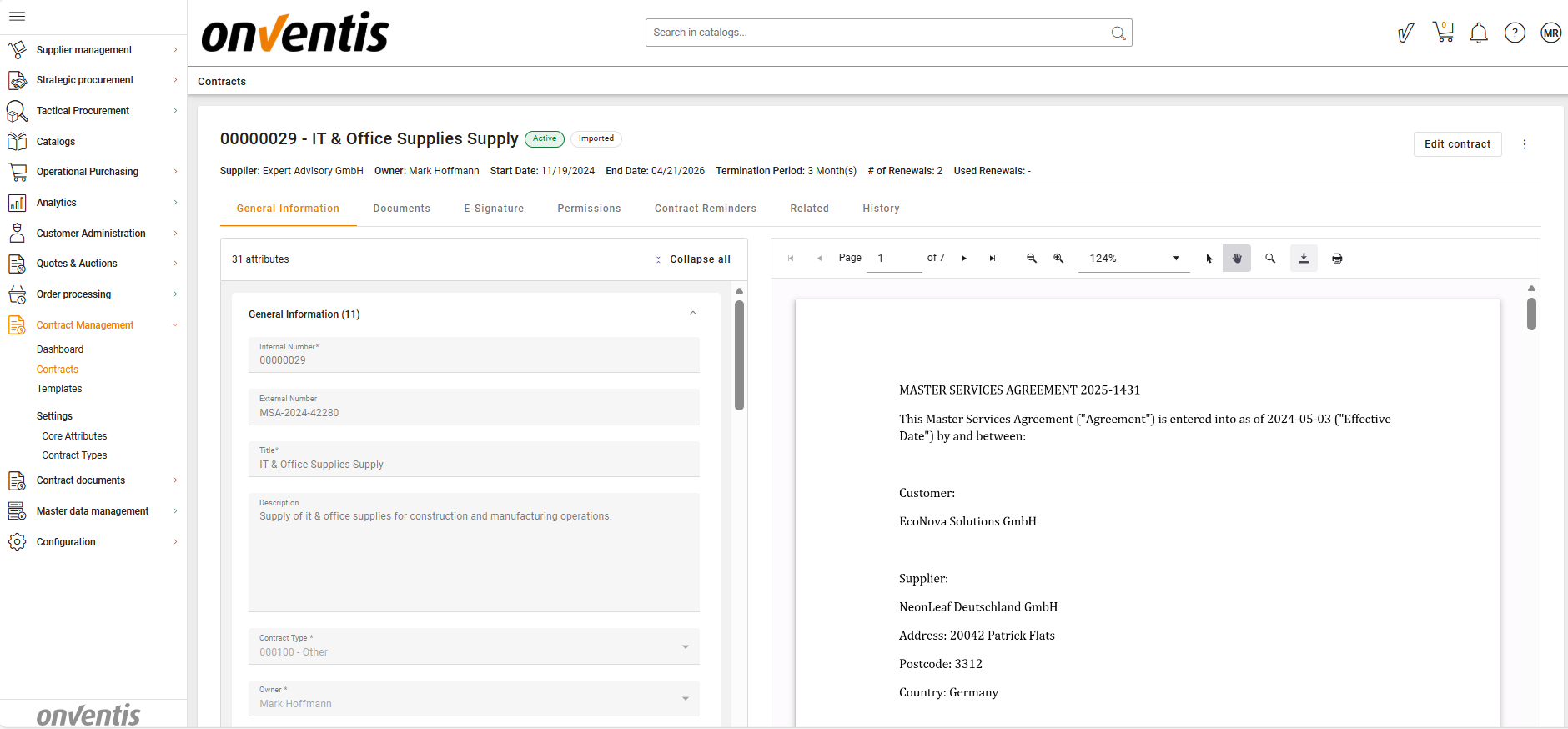
Only from the PDF Viewer using the standard PDF download action
There is no separate download option outside the PDF viewer.
What can be downloaded in a contract:
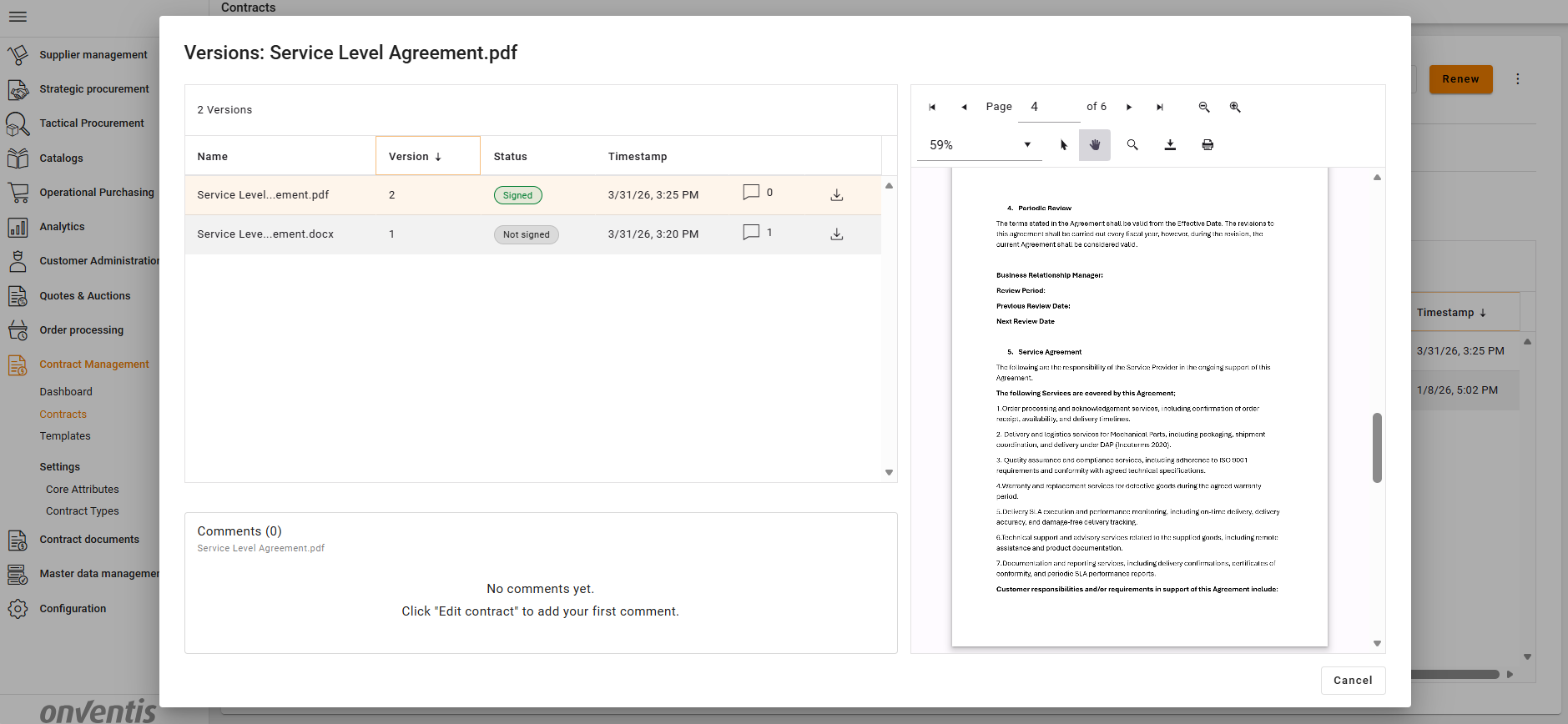
Contract document versions can be downloaded from the Document Details page and from the PDF Viewer, using the standard download action
The current document as a whole cannot be downloaded directly
This ensures users always download a specific, traceable version of the contract.
Downloads are not available from:
The main Contracts repository
The Contract Overview page
The Documents list in a Contract
Best Practices

💡 Tips for Effective Use:
Download files from the PDF Viewer when you need the finalized or reviewed content.
Use the Document Details page to select the correct document version before downloading.
Always verify the document version to ensure you are using the correct and most recent file.