
How to Create Relations between Contracts

The Related Contracts feature allows users to link the new contract to existing ones within the CLM system.
🗺️ Overview
The Related Contracts feature allows users to link existing contracts that share dependencies, context, or references. This helps maintain visibility across interconnected agreements within the CLM system.
Linked contracts are displayed on a dedicated Related tab, available from the moment a contract is created in Draft.
⚠️ Important: Contracts cannot be linked to records outside of the CLM.
🧑🦱 Who Can Use This
Users who can link contracts:
CLM Power Users
Editors
⚠️ Important: Users can link only those contracts to which they already have View or Edit access.
All users who have access to the Related tab can view the list of linked contracts in the existing contracts:
CLM Power Users - All linked contracts
Editors - All linked contracts
Viewers - Only contracts in Signed, Active, Inactive, Terminated, or Archived statuses
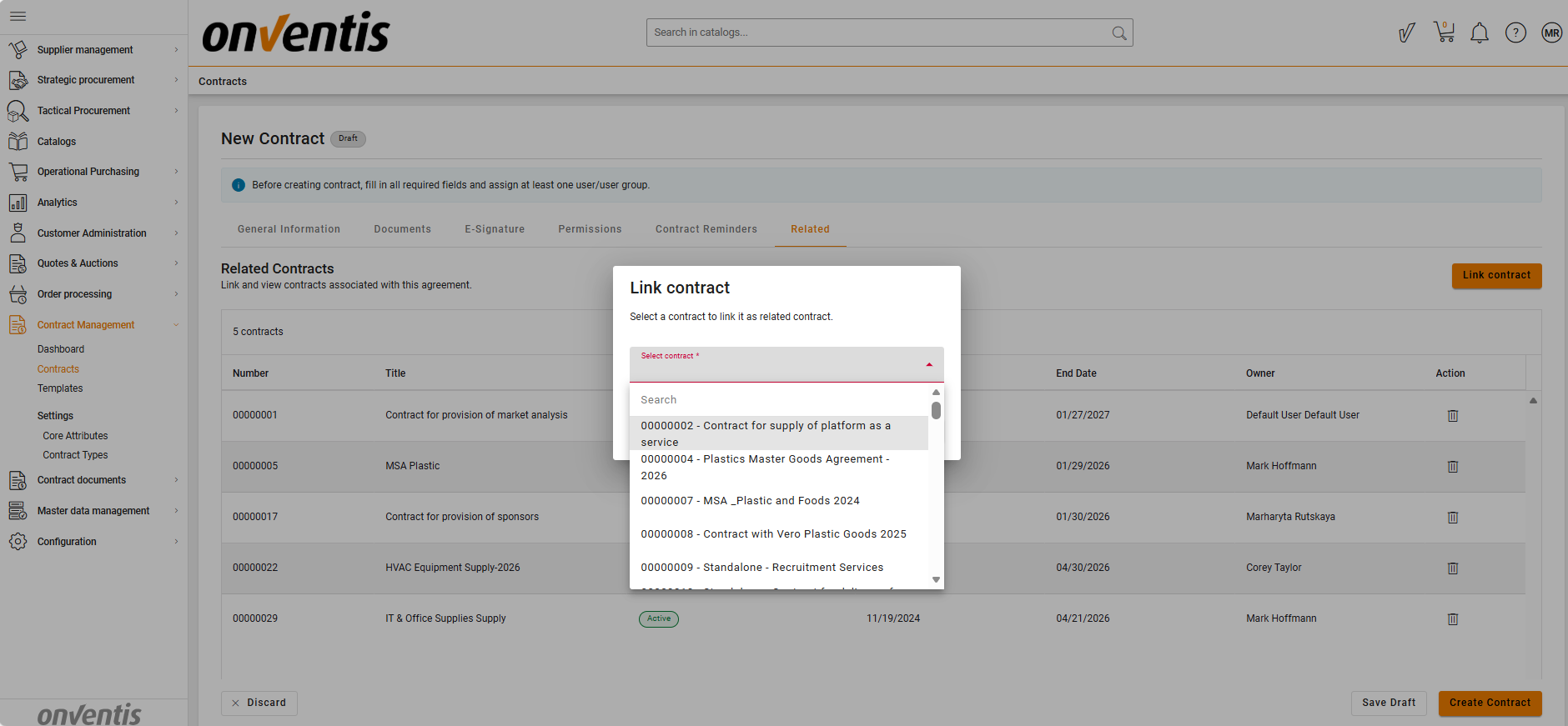
🔗 How to Link a Contract
Open the contract for which you want to define a relationship.
Navigate to the Related section of the contract.
Choose to link an existing contract.
Search for the relevant contract using a business identifier such as the contract title or internal number.
From the available results, select the contract you want to relate to.
Only contracts within the same buyer organization and within your access scope are shown.
The current contract and contracts that are already linked are excluded automatically.
Confirm your selection to save the relationship.
🔁 When Contract X is linked to Contract Y, the system automatically creates a two-way link, so both contracts display each other on their Related tab.
↗️ Navigation to Linked Contracts
Users can open linked contracts directly from the Related tab if they have the necessary View/Edit permissions.
If access is restricted, a lock icon and tooltip appear, and navigation is disabled.
Redirects open in a new tab and are available from both View and Edit contract modes.
Best Practices

💡 Tips for Effective Use:
Use related contracts to connect dependent agreements for better traceability.
Avoid linking duplicate or irrelevant contracts to prevent confusion.