
How to change Contract Owner

This article explains how to change the Contract Owner, who can perform this action, and what business rules apply when ownership is updated.
🗺️ Overview
The Contract Owner is the primary responsible person for a contract in the CLM system. By default, the user who creates a contract becomes its Contract Owner. In some cases, ownership needs to be transferred - for example, when responsibilities change or a contract is handed over to another team member.
Changing the Contract Owner is a controlled action to ensure accountability and proper access management.
🧑🦱 Who Can Use This
The Change Owner action is available only to:
CLM Power Users
Other users do not see this option.
⚙️ Contract Owner Assignment Rules
The contract creator is automatically set as the Contract Owner.
Editors who later modify the contract are not automatically added as Contract Owners.
The Contract Owner field is disabled during:
Contract editing
This prevents accidental changes to ownership during routine updates.
Changing the Contract Owner does not automatically grant owner-level rights to the selected user.
The user can select a new owner from all users of the same Buyer who are CLM Power Users.

 Availability of the Change Owner Action
The Change Owner action is available on the Contract Overview page starting from the Draft status.
The action is not available in contract statuses where attributes are read-only:
Negotiation Approval
Signing Approval
Ready for Signing
Manual Signing
E-signing
Signed
Terminated
Archive
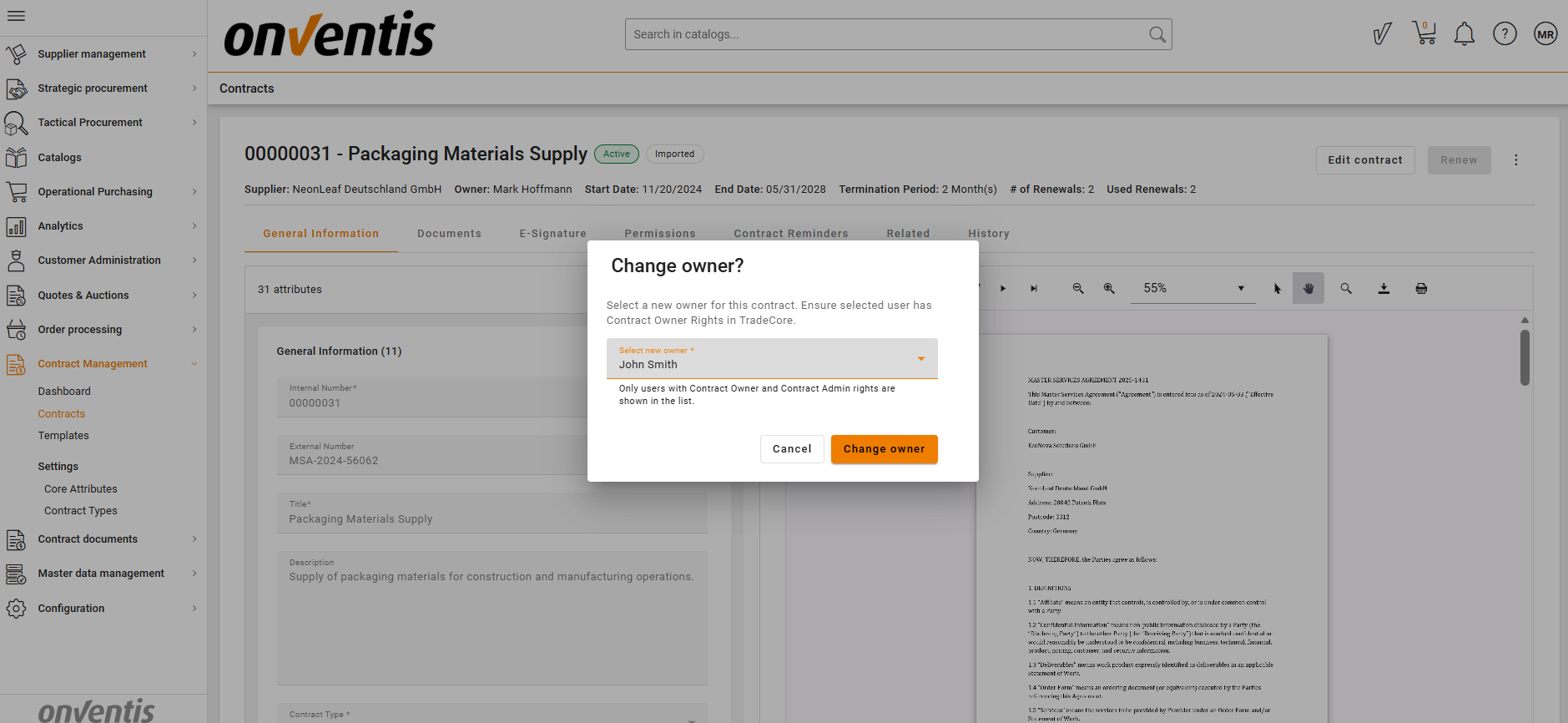
After saving, the Contract Owner attribute updates and displays the newly selected user.
Best Practices

💡 Tips for Effective Use:
Change the Contract Owner only when responsibility for the contract truly shifts.
Before assigning a new owner, verify that the user has the required owner rights.
Avoid ownership changes close to signing or archiving stages.
Use clear internal processes to define when and why ownership changes are allowed.