
How to Bulk Export Contract Metadata

Bulk Export allows you to extract contract metadata from the Contract Repository directly into an Excel (.xlsx) file.
It enables users to quickly generate an overview of all relevant contracts — including system and custom attributes — for reporting, analysis, or internal sharing.
🌍 Overview
Bulk Export provides a simple way to download contract metadata based on your current view in the Contract Repository:
All visible contract rows aligned with your applied filters
All system attributes
All custom attributes configured in CLM
The export helps teams share contract information with internal stakeholders without exposing confidential documents, as only metadata is included.
👤 Who Can Use This
All users with access to the Contract Management module who have permission to view contracts in the Contract Repository.
💼 Where Bulk Export Can Be Performed
Bulk Export is available directly in the Contract Repository grid.
You can export:
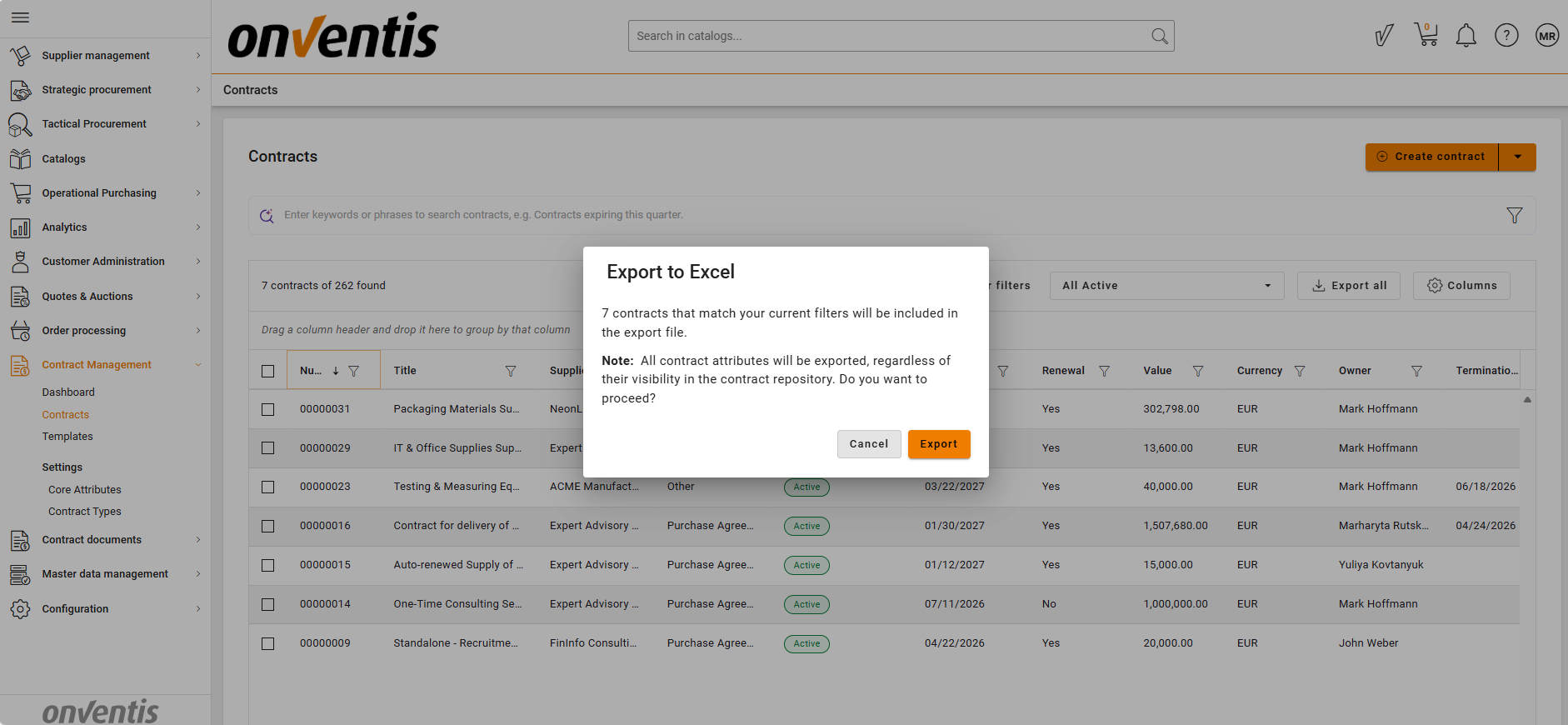
1. All Contracts (Based on Active Filters)
Apply filters (e.g., supplier, material group, status), and export the full filtered dataset — not just visible rows on the screen.
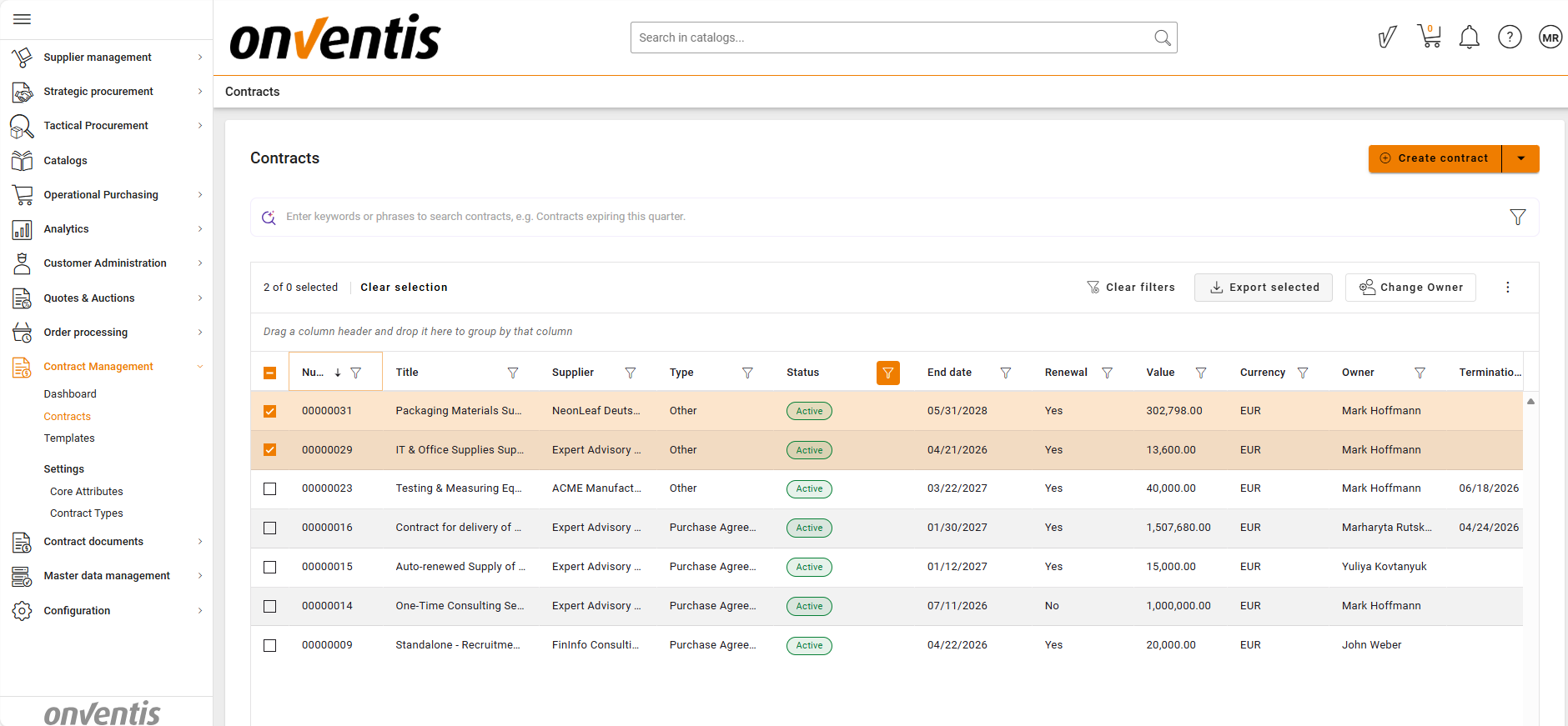
2. Selected Contracts
Manually select specific contracts and export only those.
Useful when providing targeted overviews for a stakeholder request.
The downloaded file includes all metadata columns available in the grid, including custom attributes.
💡 How Bulk Export Works
Bulk Export uses your current repository view:
You filter or select the contracts you want
The system generates an Excel file containing all metadata columns
The file downloads instantly to your device
No documents, files, or attachments are included — metadata only
📌 Typical Use Cases
Share contract portfolios
Provide stakeholders with a filtered overview of contracts for a specific supplier, category, or business unit.
Targeted Stakeholder Requests
Select specific contracts and export only what is relevant for a business unit, category manager, or auditor.
Internal reporting
Use exported data for management summaries, KPIs, audits, or forecasting.
Data analysis
Combine CLM contract metadata with other internal datasets for procurement, legal, or financial analysis.
⚠️ Limitations
Export includes metadata only — no documents, files, or attachments.
Exported data is limited by the fields and contracts the user is permitted to view.
Extremely large exports may take a moment to generate depending on filter size.
⭐ Best Practices
💡 Tips for Effective Use
Apply filters first to avoid exporting unnecessary data.
Use saved views to reproduce exports consistently.
Use saved views or custom filters to quickly generate recurring reports.
Review custom attributes in your repository to ensure relevant metadata appears in exports.
Provide context when sharing the export (e.g., date, filters applied).