
Contract Viewing

The Document Viewer enables CLM users to view contract documents directly within the system, improving readability and reducing the need to download files.
It provides a consistent and user-friendly way to review contract content across the contract lifecycle.
🌍 Overview
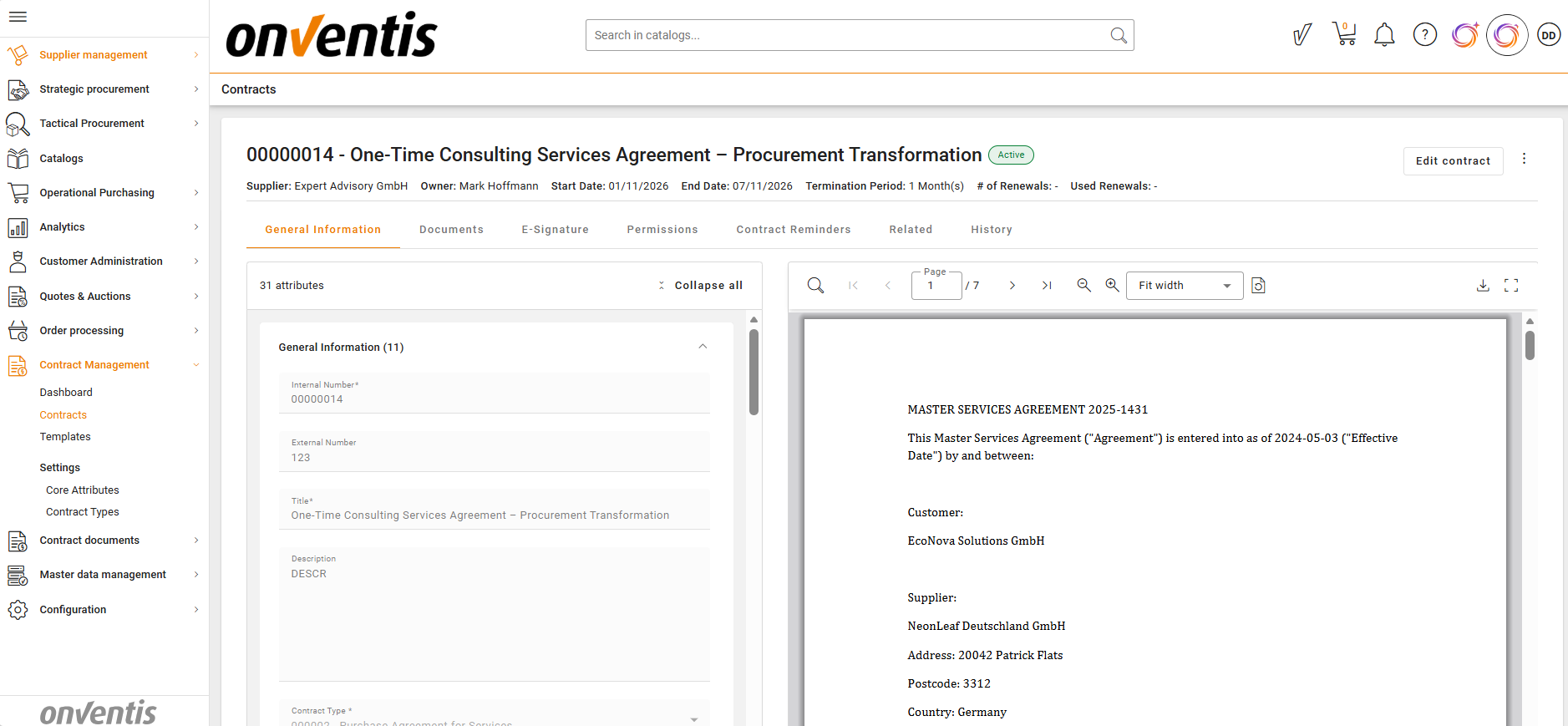
The Document Viewer is available on the Contract Overview page and on the Document Details page and allows users to open and read contract documents directly within CLM.
It supports viewing of PDF document format only and provides improved navigation when reviewing documents.
🧑🦱 Who Can Use This
All CLM users with access to contracts can use the Document Viewer.
💼 Where the Viewer Is Available
The Document Viewer is available within each contract.
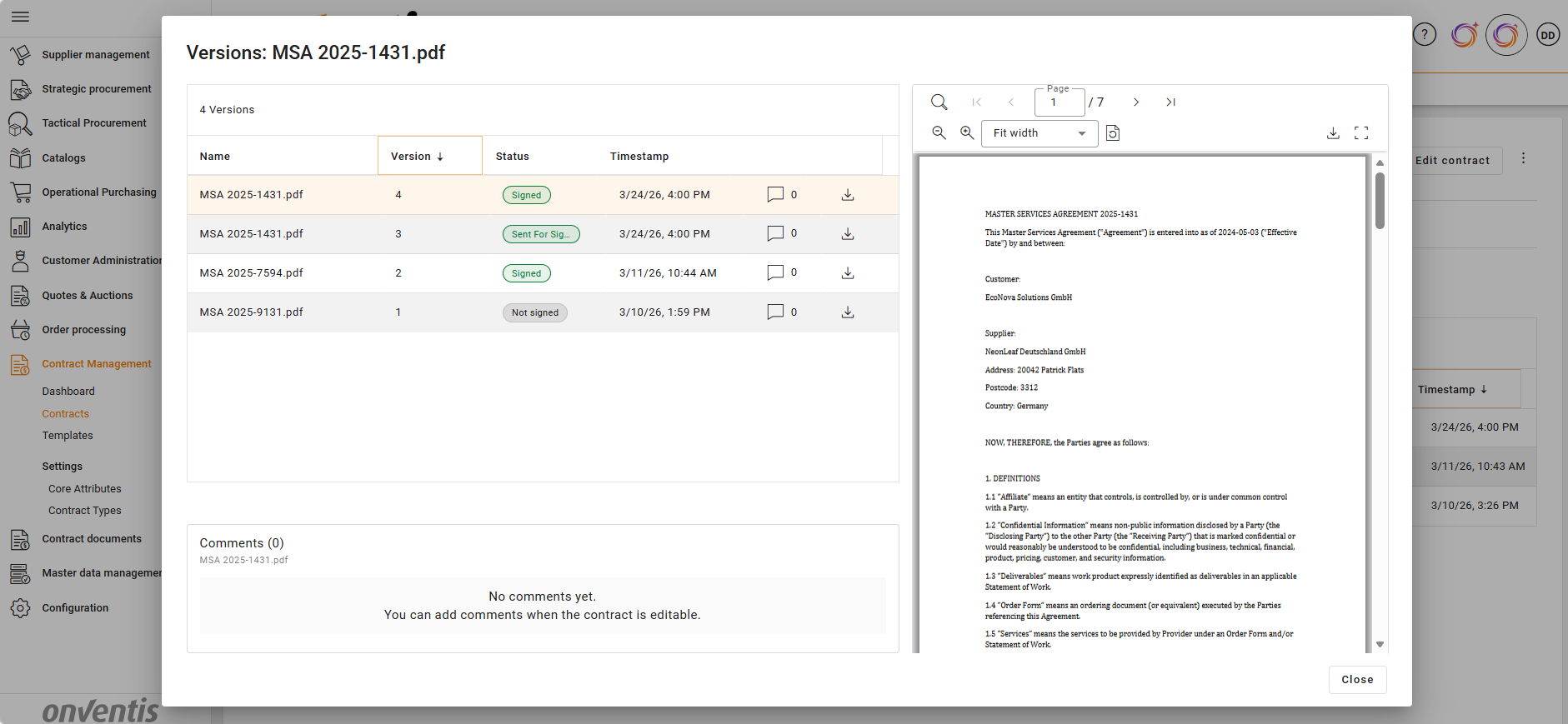
Users can view the Main document directly from the contract overview, and all documents from the Document Details page.
💡 How the Document Viewer Works
Document Access
Users can open contract documents directly within CLM without downloading them.
The document is displayed in an integrated viewer, allowing immediate review within the contract context.
Document Navigation
Users can easily move through multi-page documents:
Navigate to next or previous page
Jump to the first or last page
Go directly to a specific page
View current page and total number of pages
Search in Document
Users can search within the document content:
Enter keywords to find matching text
Highlighted matches appear within the document
Navigate between occurrences within the document
Zoom & View Control
Users can adjust how the document is displayed:
Zoom in and out
Fit document to screen width or page height
Use predefined zoom levels for comfortable reading
Full-Screen View
Users can switch to full-screen mode:
Expand the document to maximise viewing area
Focus on document review without interface distractions
File Actions
Users can perform common document actions:
Download the original document file
Retain original file naming when downloading
Reading Experience
The viewer ensures a consistent and structured document review experience:
Clear rendering of document content
Smooth navigation and interaction
No need for external tools to review PDF contract documents
📌 Typical Use Cases
Reviewing contract documents directly in CLM
Quickly navigating through long contracts
Avoiding download and external tools during contract analysis
✅ Best Practices

💡 Tips for Effective Use:
Use the in‑system viewer for quick document checks
Use downloads only when further external processing is required