
Contract Termination

Contract Termination allows you to formally end an active contract by scheduling its termination for a specific date.
This ensures controlled lifecycle handling, prevents unintended renewals, and keeps contract data accurate and auditable.
🗺️ Overview
Contract Termination is used to formally end an active contract in line with contractual, legal, or business requirements. It supports planned exits from both definite and indefinite contracts while preserving full auditability of dates and reasons.
Termination and Deactivation represent two alternative lifecycle paths. Once a contract is terminated, it cannot be deactivated, and deactivation cannot be used as a substitute for termination. Termination is intended for legally ending a contract, while deactivation is used for operational or temporary inactivation scenarios.
👤 Who Can Use This
Users with the CLM Power User license.
💼 Where Contract Termination Can Be Performed
Termination is initiated from the Contract Overview of an Active contract.
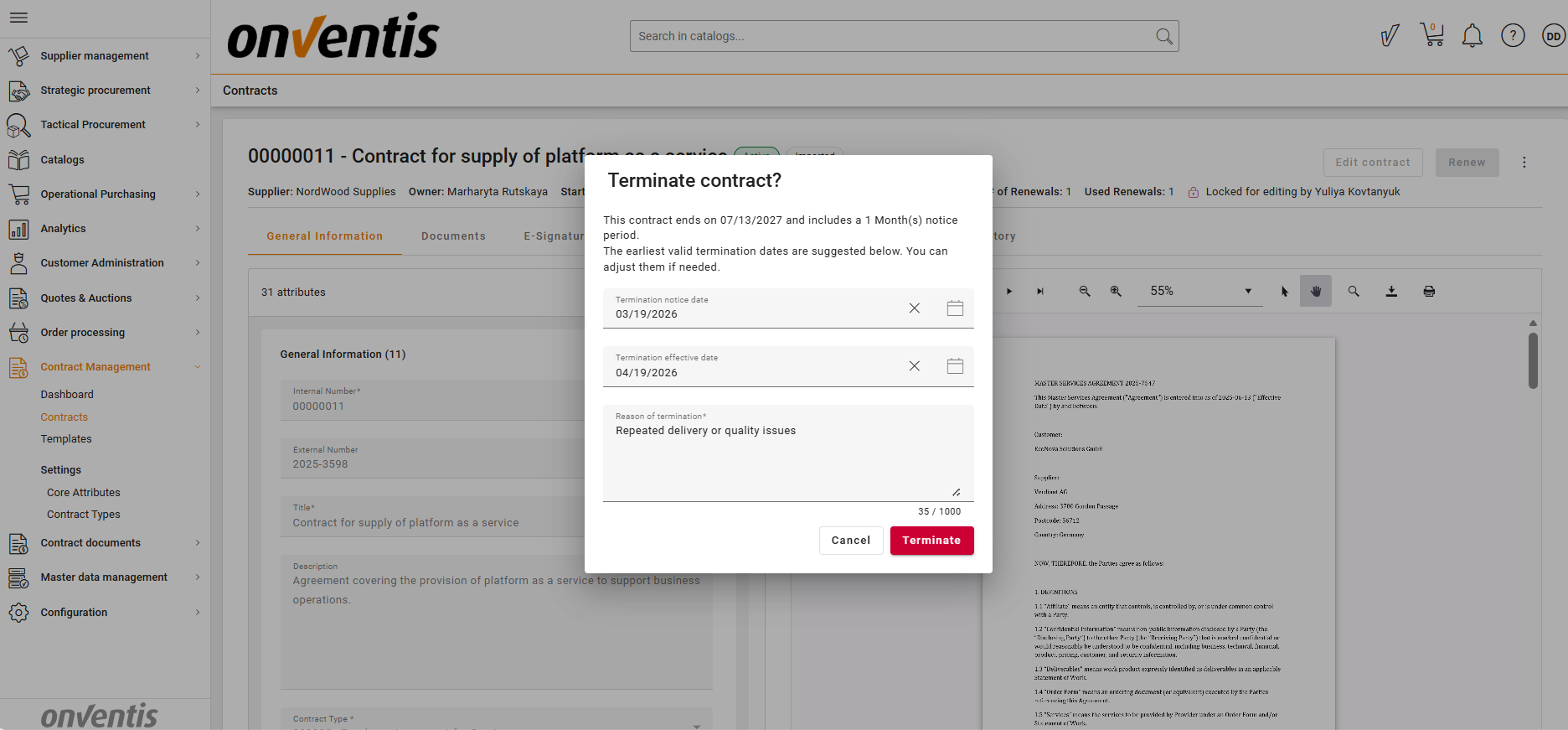
The termination dialog captures:
Termination notice date
Termination effective date
Termination reason (mandatory)
💡 How Contract Termination Works
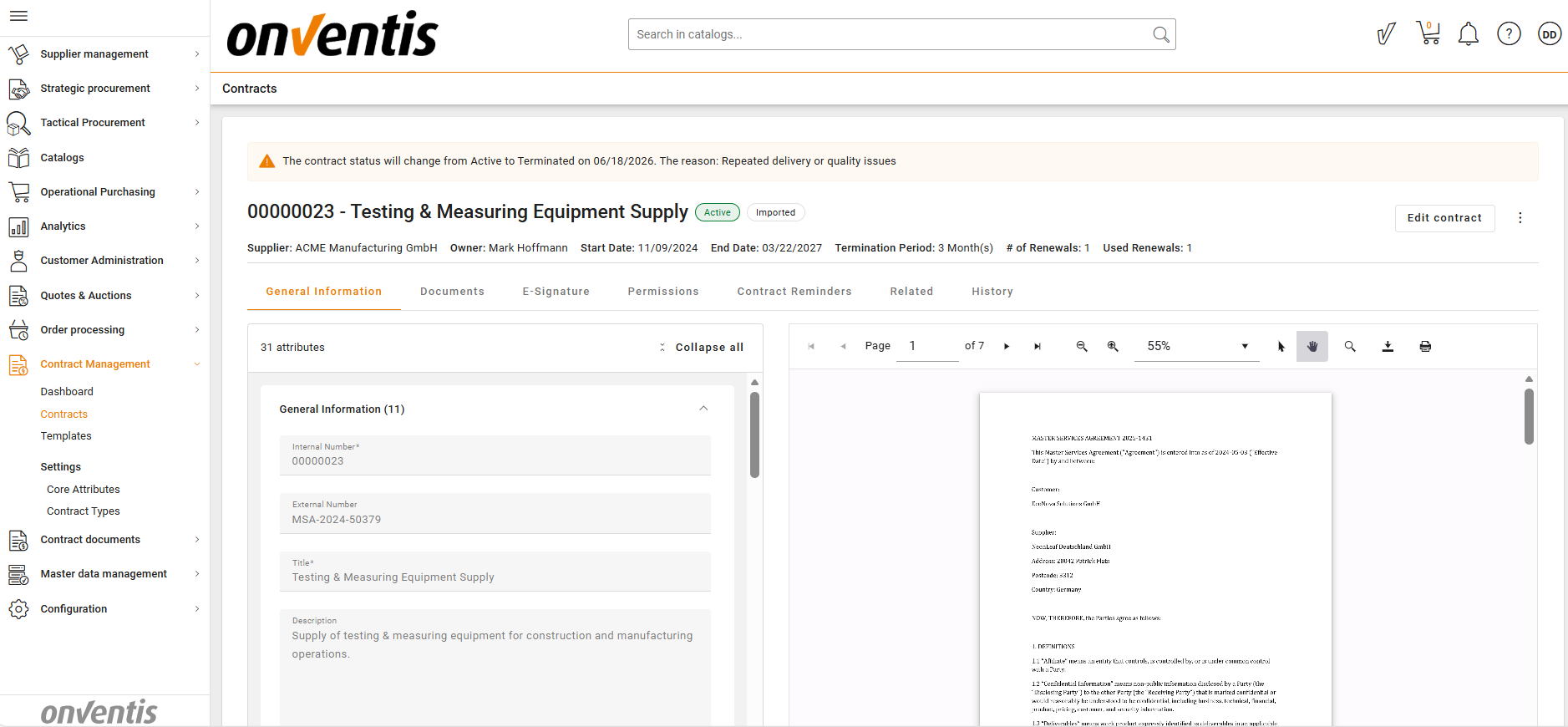
Scheduling Termination
When termination is scheduled:
The contract remains Active until the Termination Date
The system preserves:
The original Contract End Date (if defined)
The newly added Termination Date
The Termination Date must be today or in the future
Auto‑Renewal logic is immediately blocked, if applicable
The contract is removed from renewal and expiration monitoring
Once scheduled, termination cannot be undone.
Users may adjust the Termination Date, but cannot cancel termination entirely.
Default Termination Date Calculation
The system proposes a default termination effective date based on contract type:
Definite contracts
Termination effective date =
Termination notice date + Termination period (if defined)
Indefinite contracts
Termination effective date =
Contract start date + Lock‑in period (if defined) + Termination period (if defined)
If lock‑in or termination periods are not respected, the system displays warnings, but not blocks the action.

Contract Behavior While Waiting for Termination
An Active contract that has termination scheduled:
Cannot be transitioned to any other status
Archive, Renew, and Deactivate actions are disabled
Continues to behave as Active until the Termination Date
Automatically transitions to Terminated on the effective date
📌 Typical Use Cases
Planned End of Contract
Schedule termination in advance to ensure a clean and compliant contract closure.
Non‑Renewal Decision
Prevent automatic renewal by scheduling termination before the renewal window.
Exit from Indefinite Contracts
Terminate open‑ended contracts while respecting lock‑in and notice periods.
Compliance‑Driven Termination
Record termination dates and reasons clearly for audit and reporting purposes.
Best Practices

💡 Tips for Effective Use:
Review notice and lock‑in periods before scheduling termination.
Schedule termination early to avoid unintended renewals.
Use clear termination reasons for audit clarity.
Monitor contracts awaiting termination to ensure no dependent actions are pending.
Archive contracts after termination once all obligations are completed.