
Contract History log

The Contract History Log provides full visibility into every change made throughout a contract’s lifecycle.
It ensures transparency, accountability, and compliance by automatically recording all updates, transitions, and actions in one chronological view.
The History Log helps users understand how a contract evolved, who performed specific actions, and when important lifecycle events took place.
🗺️ Overview
The History Log acts as a complete audit trail for each contract.
It automatically records:
Contract data changes (attribute updates, status transitions, ownership changes)
Permission changes (user/group added or removed)
Document actions (uploads, replacements, version changes)
Workflow events (approvals, rejections, sent for e‑signing, manual signing, completed signatures)
Termination steps (notice date set, effective date changes, termination reason)
Linking/unlinking related contracts
This ensures end‑to‑end traceability across the entire contract lifecycle.
🧑🦱 Who Can Use This
All users who have access to view the contract can see its History Log.
💼 Where the History Log Can Be Viewed
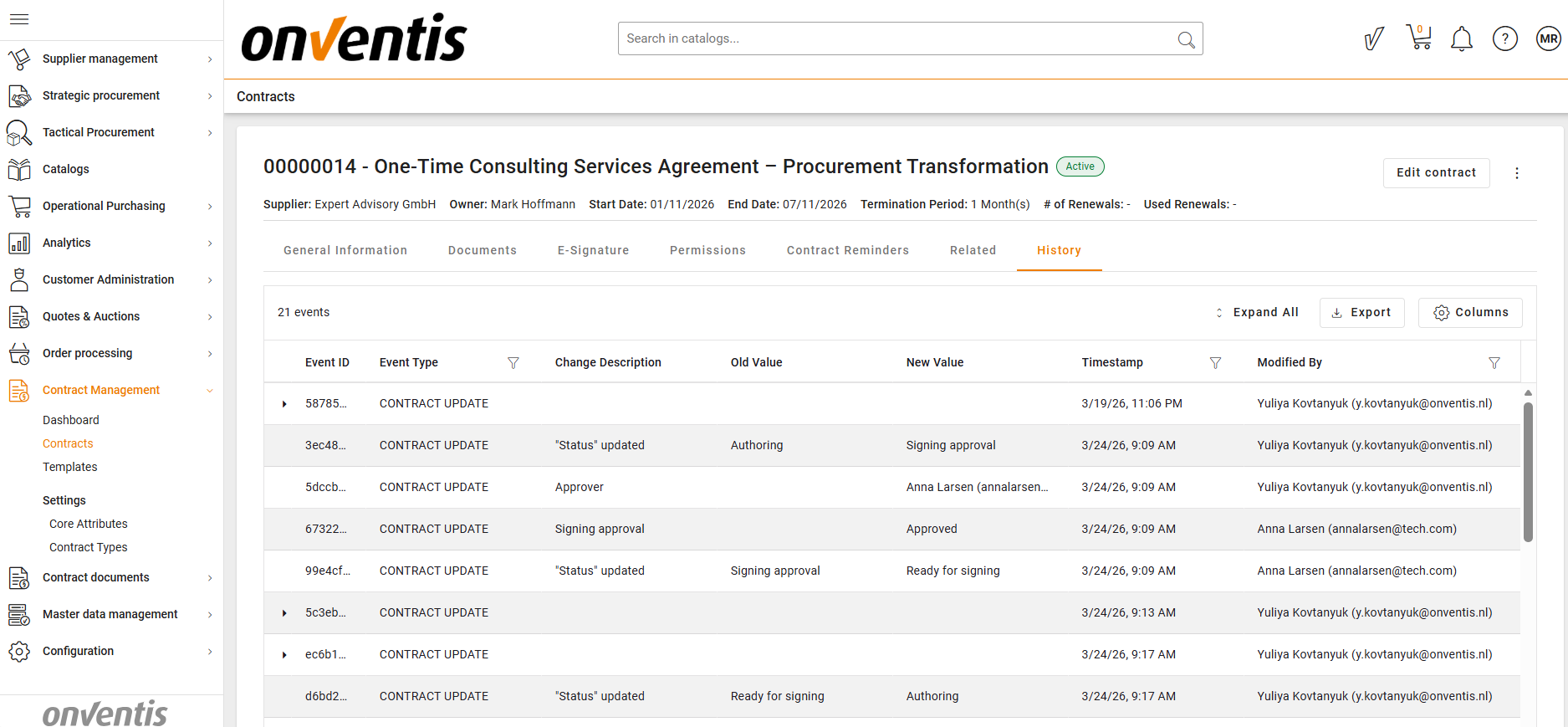
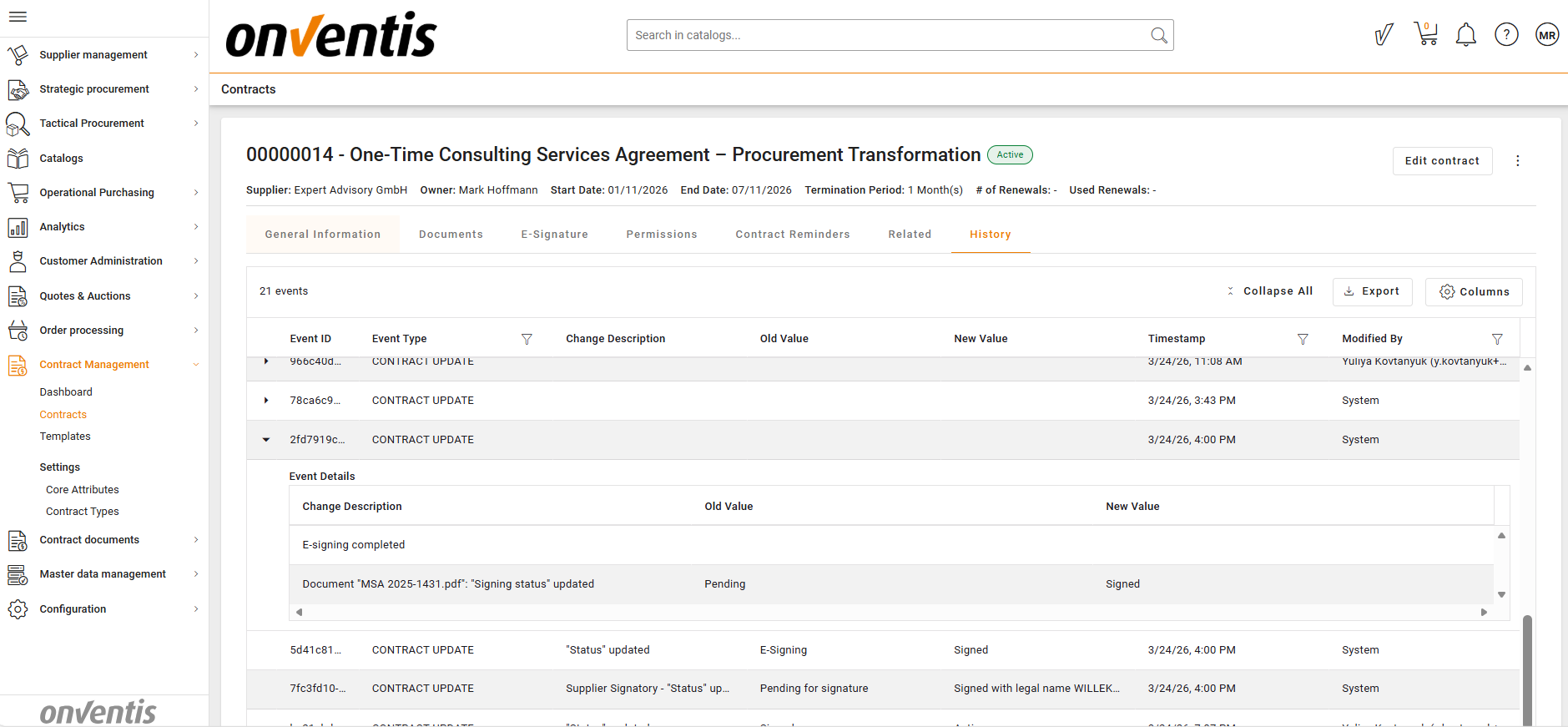
The History Log is available in the Contract Overview as a dedicated tab.
It presents entries in chronological order, showing:
The action taken
Who performed it
When it occurred
Old vs. new values (for data changes)
Users can expand entries to see details and navigate easily through the contract’s full change trail.
💡 How the Contract History Log Works
Every recorded event is captured automatically — users do not need to enable or configure anything.
The History Log includes:
Attribute & Metadata Changes
Updates to contract attributes
Changes to contract status
Permission Updates
Users/groups added or removed
Changes in access levels
Document History
Document uploads
Document replacements
Version changes
Updates to document metadata
Approval & Workflow Events
Approvals, rejections, comments
Sending contracts for e‑signature or manual signing
Termination-Related Actions
Entry of termination notice date
Selection or update of termination effective date
Logging of the termination reason
Lifecycle Transitions
Every status transition is logged end‑to‑end.
📌 Typical Use Cases
Audit & Compliance Checks
Review all user actions, document changes, and approval steps for regulatory or internal audits.
Contract Review Processes
Understand how a contract progressed, what was changed, and who made decisions.
Legal & Financial Oversight
Verify legitimacy of contract updates, signing actions, and termination steps.
Troubleshooting & Support
Identify when a change occurred, who performed it, and what triggered subsequent workflow events.
Best Practices

💡 Tips for Effective Use:
Use the History Log when validating contract changes before approvals or renewals.
Review document history to ensure correct versioning and signing sequences.
Check termination entries to confirm notice dates, compliance checks, and reasons.
Use lifecycle logs to track contract performance across its entire duration.
Encourage teams to maintain clear, consistent contract workflows so the history remains easy to follow.