
Contract External Negotiation

Contract External Negotiation enables controlled collaboration with external parties during the pre‑signing phase of a contract.
It allows suppliers or partners to review contract documents, leave feedback, and confirm agreement — without granting them access to CLM.
External negotiation is designed to reduce signing rejections and ensure alignment before a contract is sent for e‑signature.
🗺️ Overview
External Negotiation is a governed, time‑bound review phase within the contract lifecycle.
It takes place after internal authoring and approval and before signing.
During this phase, internal users retain full control over the contract, while external users receive limited, secure access to selected documents only. All actions are tracked for transparency and auditability.
🧑🦱 Who Can Use This
External Negotiation can be initiated and managed by users with the CLM Power User license.
External users:
Do not need CLM access
Participate via secure, time‑limited email links
💼 Where External Negotiation Takes Place
External Negotiation is initiated from the Contract Overview when the contract is in the Negotiation status.
Once started, the contract clearly indicates that an external review is in progress.
💡 How External Negotiation Works
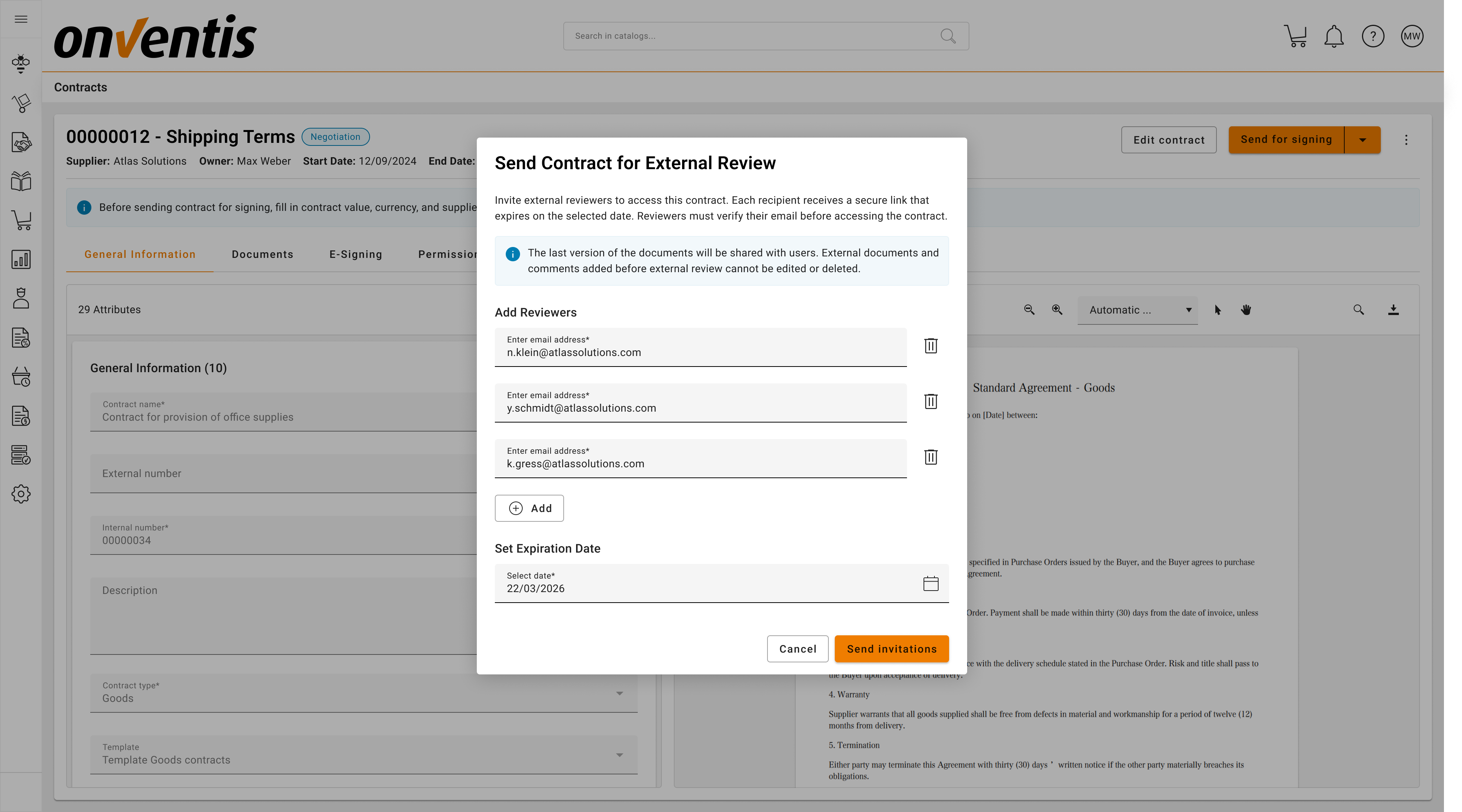
Initiating External Review
Internal users invite one or more external reviewers by email and define a review deadline.
External reviewers receive a secure link granting access only to documents marked as External.
Secure External Access
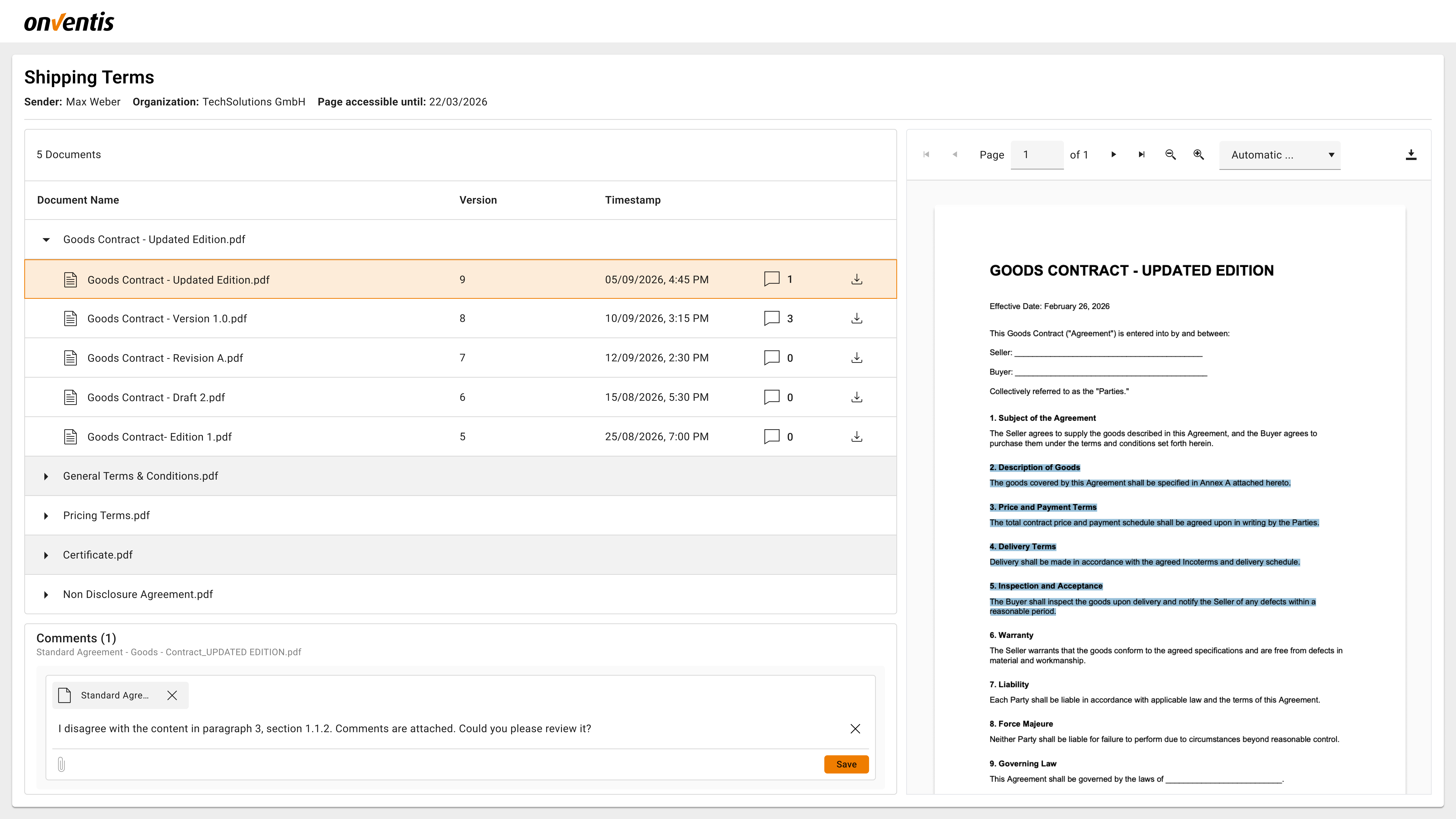
External users access the contract via a secure link, with access verified using a one-time password (OTP) sent to their email.
They can only see:
Contract title
Shared external documents and their versions
Review deadline
PDF preview and download options
They cannot see metadata, internal comments, history, permissions, or other contracts.
External Feedback & Review
During the review period, external users can:
Leave comments on document versions
Attach supporting files to comments
Comments are version‑specific and remain visible even when new versions are uploaded.
Monitoring Negotiation Progress
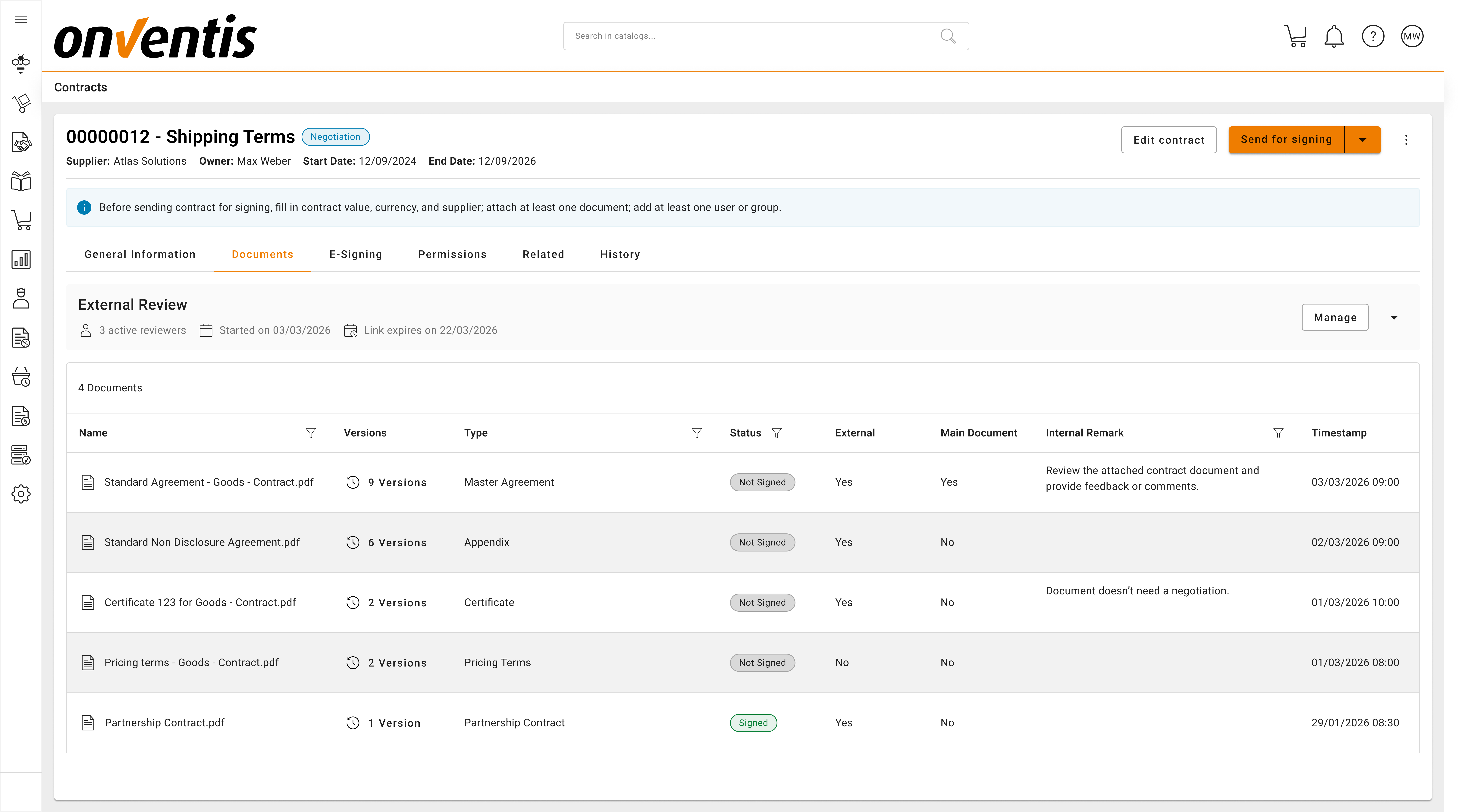
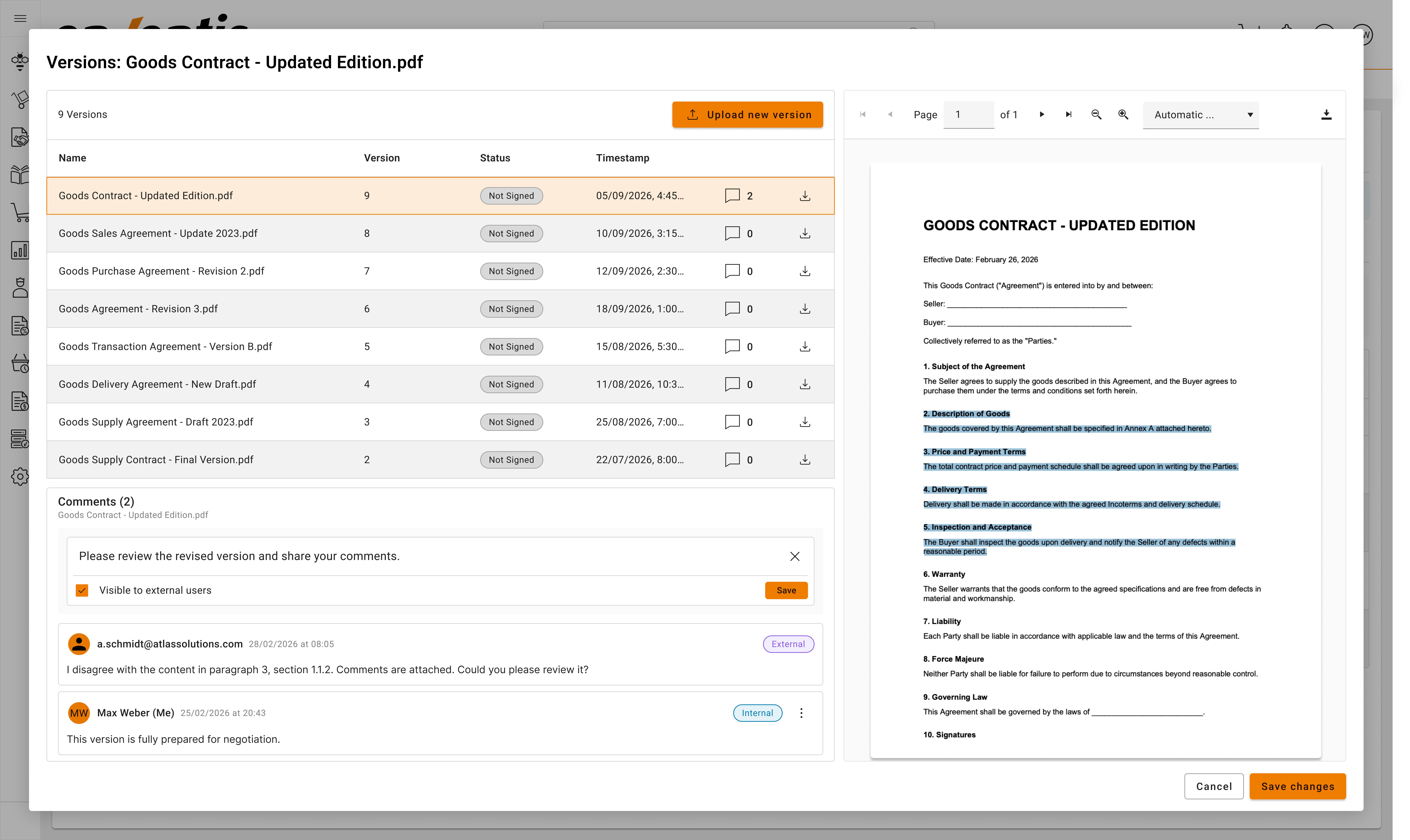
Internal users can track:
Which external users have access
When the review started
Which documents and versions are currently visible to each reviewer
Comments, and attachment per version
This provides a clear picture of negotiation progress at any time.
Managing External Access
While negotiation is active, internal users can:
Add or remove external reviewers
Adjust the review deadline
Immediately revoke access if needed
If the external review is stopped, all shared links are invalidated immediately.
Completing or Stopping Negotiation
External Negotiation ends when:
Internal users stop the external review
The contract moves to another lifecycle phase (e.g. back to Authoring or forward to Signing Approval)
The review deadline expires
Stopping external review does not change the contract status automatically, but it immediately removes external access.
📌 Typical Use Cases
Supplier Validation
Allow suppliers to review final contract drafts before signing.
Pre‑Signature Alignment
Confirm agreement on document content to avoid signing rejection.
Complex Negotiations
Support structured feedback and version‑based review for high‑value contracts.
Best Practices

💡 Tips for Effective Use:
Use negotiation as a final validation step, not for initial drafting.
Share only documents intended for external review.
Set clear and realistic review deadline during feedback collection.
Monitor negotiation progress regularly.
Resolve all open comments before proceeding to e‑signing.