
Contract Core Attributes and Grouping

Core Attributes are system-defined metadata fields that apply to every contract. They ensure a consistent data structure across all contracts and enable automation, analytics, and integrations.
🗺️ Overview
Core Attributes are system-defined fields that are available in every contract. They are standardized and cannot be modified, removed, or extended. While users can enter or update the values of these attributes (such as Title or Start Date) when creating or editing a contract, the attributes themselves are fixed and consistent across the system.
🎯 Purpose
Core Attributes provide a common and reliable data foundation for all contracts. They ensure:
Consistent reporting and portfolio-wide analytics
Seamless integration with ERP, CRM, and archiving systems
Reliable automation of contract-related processes such as renewals, approvals, and supplier communication
📘 Notes
Core Attributes are system-standard and cannot be configured or changed.
To capture organization-specific data, use Custom Attributes on Template level (managed by CLM Power Users).
Core Attribute values are included in dashboards, reports, and automation triggers.
Core Attributes don’t have predefined Values (Has Values column shows No).
In contrast, Custom attributes can have pre-defined values.
🧾 Core Attributes
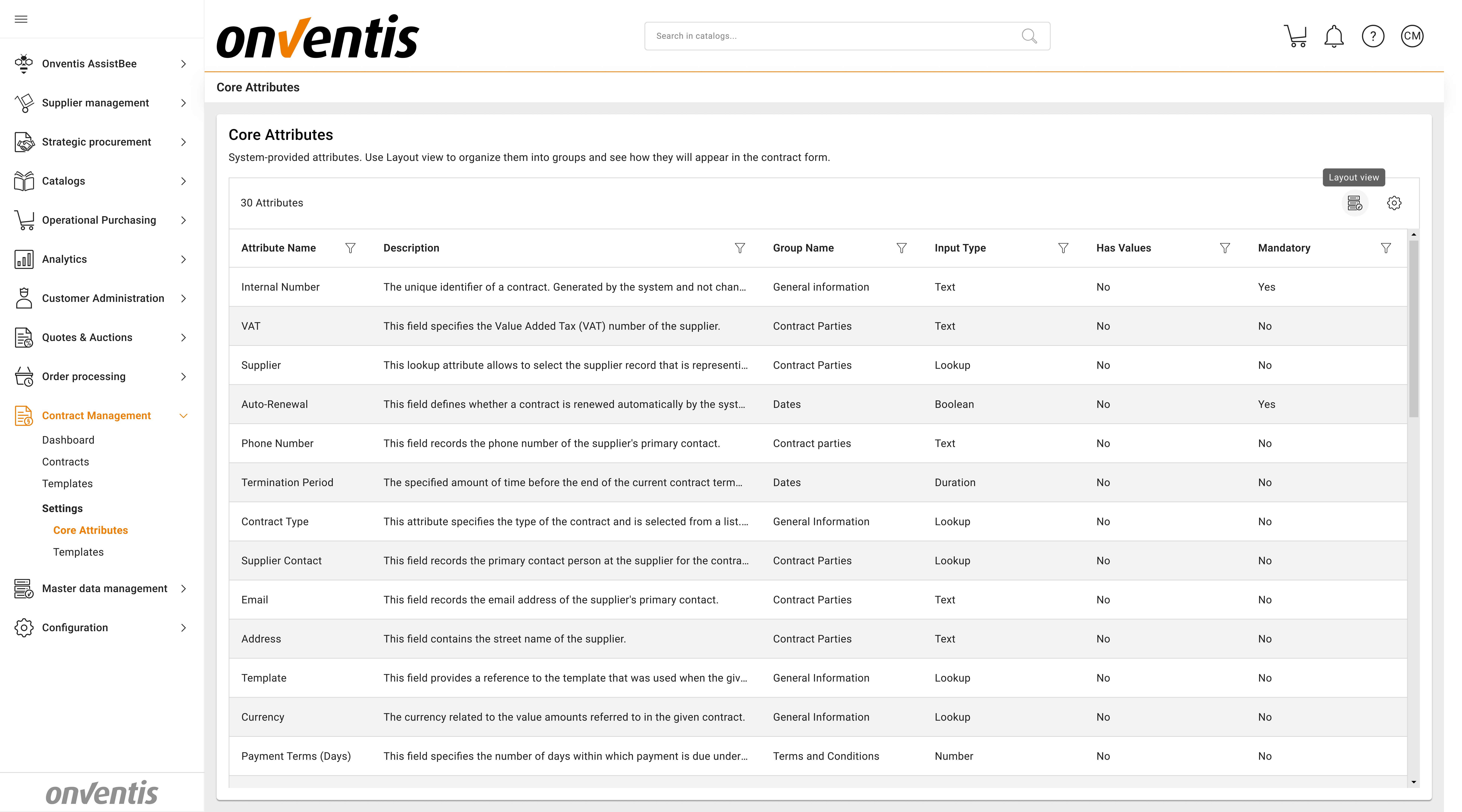
Attribute Name | System Group | Description | Data Type |
Title | General Information | The name of the contract. Should be concise as the name is referred to in many places of the system. | Text |
External number | General Information | This field stores a reference from an external system such as an ERP, archive, or CRM solution. | Text |
Internal Number | General Information | The unique identifier of a contract. Generated by the system and not changeable. | Text; Auto-generated |
Contract Type | General Information | This attribute specifies the type of the contract and is selected from a list. Contract Types support specific attributes on top of the core attributes. | Lookup; Single Auto-filled from the source Template if created from Template |
Owner | General Information | This user is considered the contract owner with full rights on the given contract. | Lookup; Single Auto-generated |
Description | General Information | This field provides a free-text overview of the areas, goods, or services regulated by the contract. | Text (multi line) |
Template | General Information | This field provides a reference to the template that was used when the given contract was created. Can be empty if the contract has been created without using a template. | Lookup; Single |
Contract Value | General Information | The value amount that is represented by the given contract (e.g. in terms of purchasing volume) | Number |
Currency | General Information | The currency related to the value amounts referred to in the given contract. | Lookup; Single |
Material Group | General Information | For contracts that are specific to one or a set of material groups, this multi-select attribute allows to associate the contract with these material groups. | Lookup; Multi Auto-filled from source Template if created from Template |
Organizational Unit | General Information | For contracts that are not applicable to the entire organization including all ist organizational units, this multi-select attribute allows to select the subset of organizational units that this contract applies to. | Lookup; Multi |
Supplier | Contract Parties | This lookup attribute allows to select the supplier record that is representing the contract counterparty of the given contract. | Lookup; Single Supplier list from Organization settings |
Postcode | Contract Parties | This field specifies the supplier’s postal code. | Text; Populated with data from Organization settings |
VAT | Contract Parties | This field specifies the Value Added Tax (VAT) number of the supplier. | Text; Populated with data from Organization settings |
Address | Contract Parties | This field contains the street name of the supplier. | Text; Populated with data from Organization settings |
Country | Contract Parties | This field specifies the country of the supplier. | Lookup; Single Populated with data from Organization settings |
Supplier Contact | Contract Parties | This field records the primary contact person at the supplier for the contract. | Lookup; Single Populated with data from Organization settings |
Phone number | Contract Parties | This field records the phone number of the supplier’s primary contact. | Text; Populated with data from Organization settings |
Contract Parties | This field records the email address of the supplier’s primary contact. | Text; Populated with data from Organization settings | |
Initial Duration | Dates | The initial term represents the initial duration of a contract before the first renewal or end date. | Duration |
Start Date | Dates | This date represents the date the given contract is becoming effective. It marks the first day of the initial term. | Date |
End Date | Dates | The last day the contract is supposed to be valid after it is considered expired on the next day. | Date |
Has Renewal clause | Dates | This indicates if the contract has a renewal clause or not. | Boolean |
Auto-renewal | Dates | This field defines whether a contract is renewed automatically by the system when it reaches its end date. | Boolean |
Renewal Duration | Dates | The renewal term specifies the duration of the contract at the point it is renewed. | Duration |
Number of Renewals | Dates | This indicates the number of renewals. It only appears if the contract has been set to have a renewal clause | Number |
Lock-in Period | Dates | This is the initial period of time after a contract starts during which termination is contractually restricted. | Duration |
Termination Period | Dates | The specified amount of time before the end of the current contract term during which one party must inform the other if they do not wish to continue the contract. | Duration |
Has no End date | Dates | This field indicates whether the contract has an indefinite duration with no set end date. | Boolean |
Payment Terms (Days) | Terms and Conditions | This field specifies the number of days within which payment is due under the contract. | Number |
Delivery Terms (Incoterms) | Terms and Conditions | This field specifies the agreed Incoterms that define the delivery responsibilities and risk transfer between parties. | Lookup; Single |
📁 Core Attribute Groups
🗺️ Overview
Core Attributes are displayed in a structured layout that can be customized by grouping and ordering attributes. This allows organizations to present contract information in a clear and consistent way across all contracts, improving usability for end users while maintaining a standardized structure.
🎯 Purpose
Provide a consistent, structured, and user-friendly contract layout by organizing core attributes into logical groups. Grouping and arranging attributes ensures that all contracts follow the same layout standards, improves readability, and supports efficient contract creation and review.
📘 Managing the Attribute Layout
Core attributes are organized into predefined system groups available out of the box:
General Information;
Contract Parties;
Dates
Terms and Conditions
To adapt the layout to organizational needs, CLM administrators can create custom groups and rearrange attributes across both standard and custom groups.
Click Layout View next to Columns to switch to layout configuration mode.
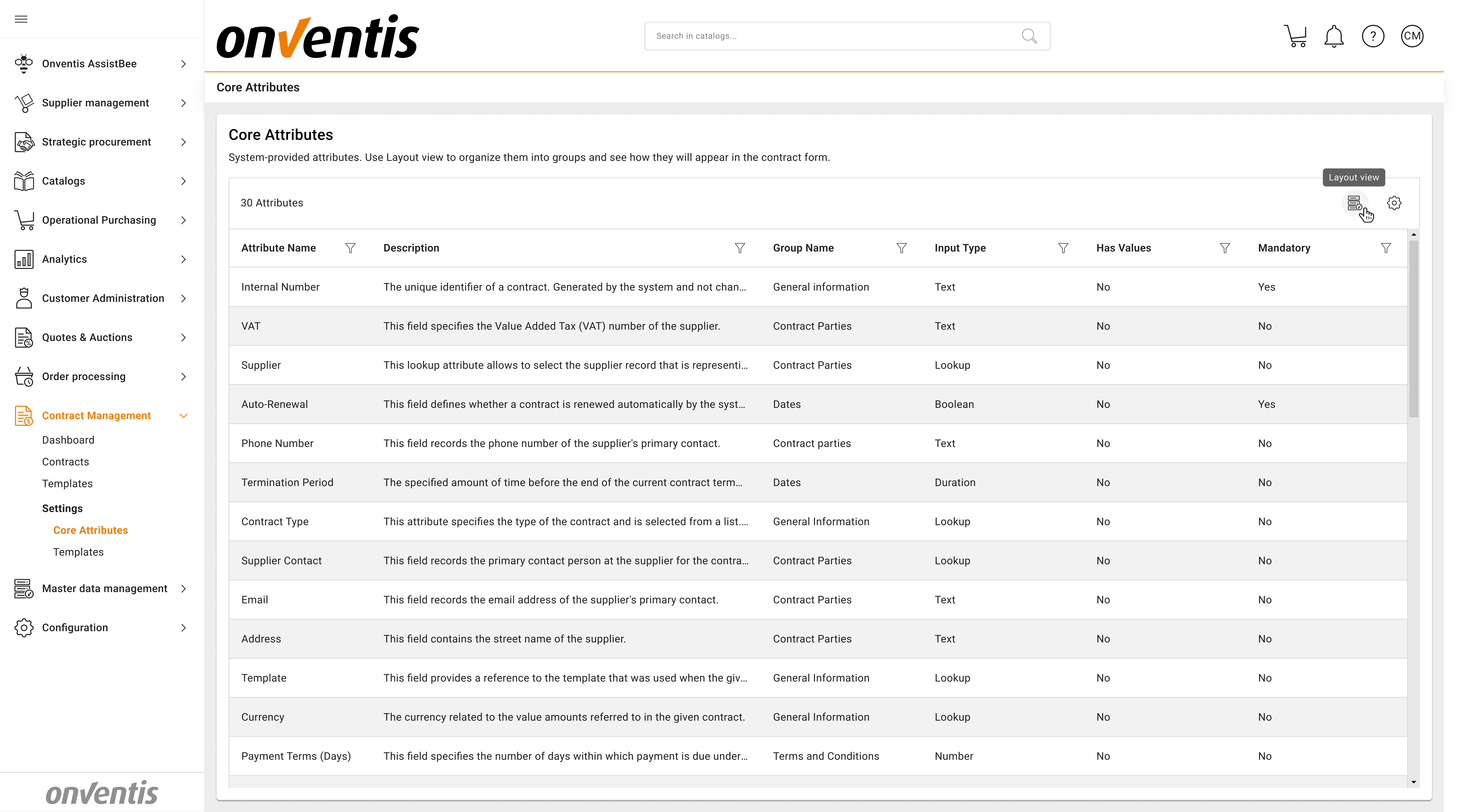
Attributes List View
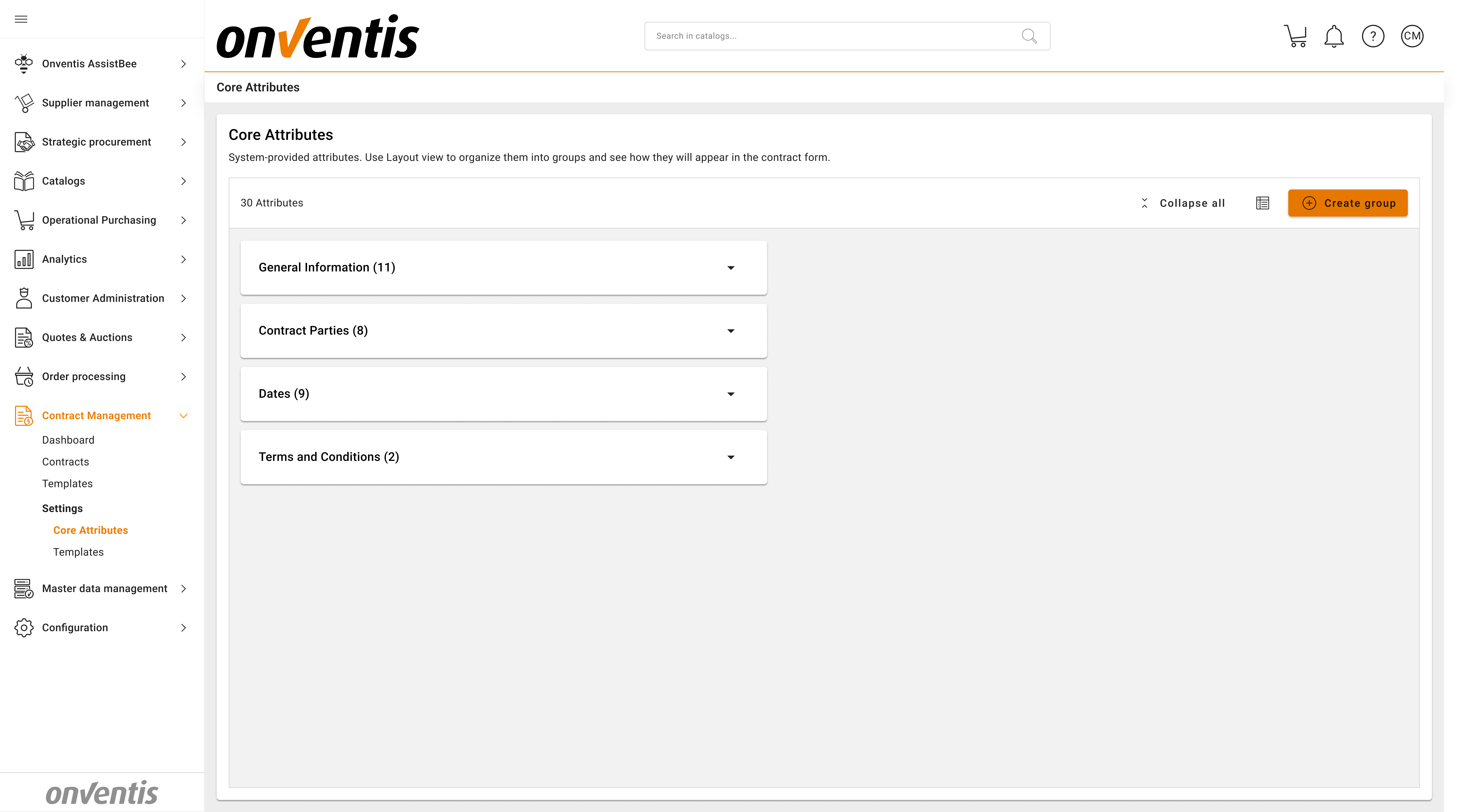
Attributes Layout View
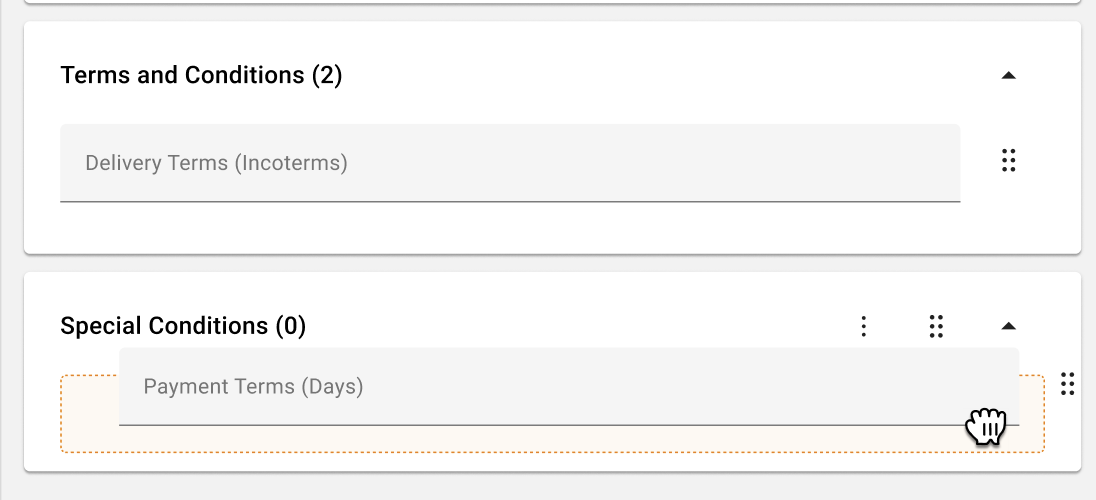
Use drag and drop to:
Reorder attributes within a group
Move attributes between existing groups
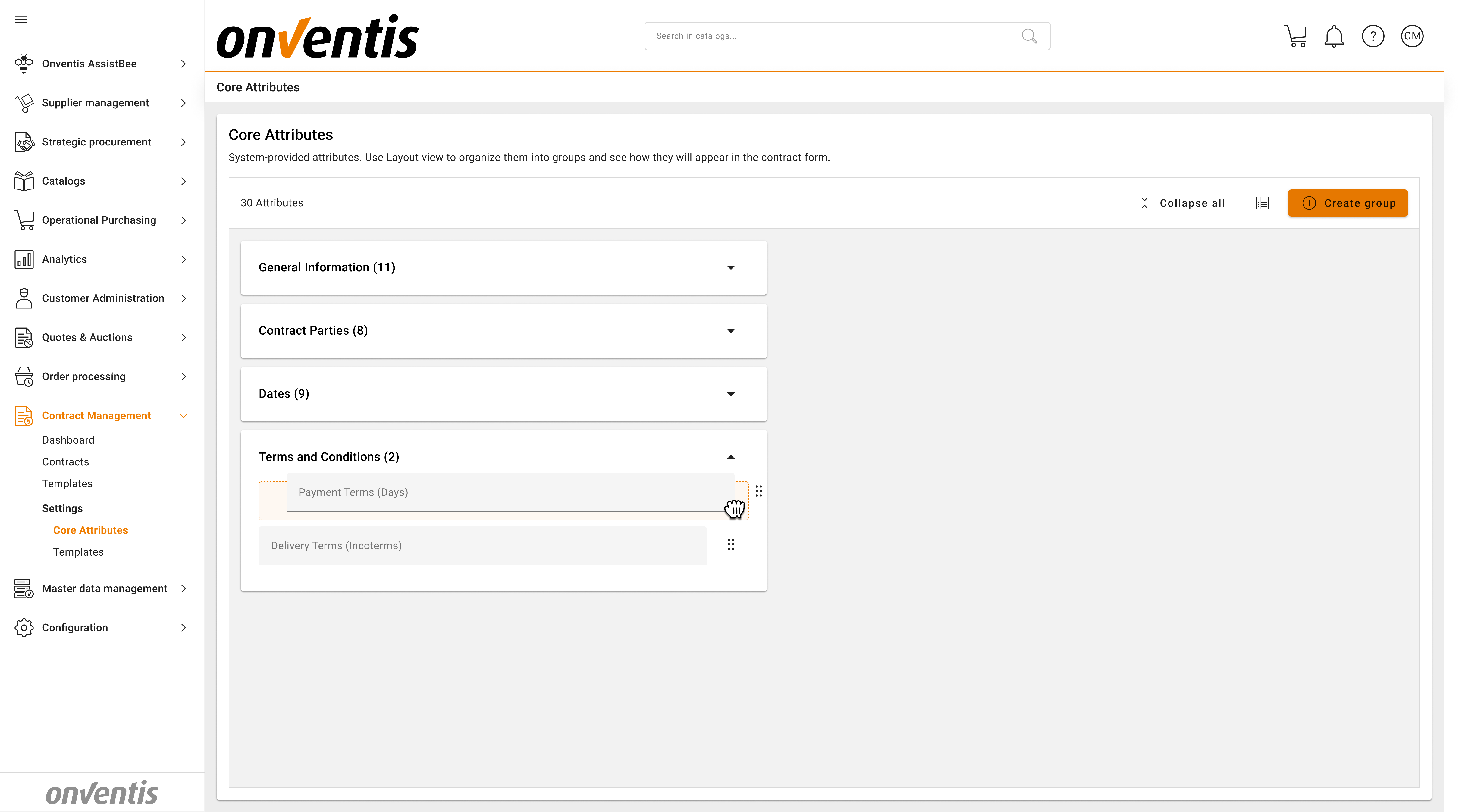
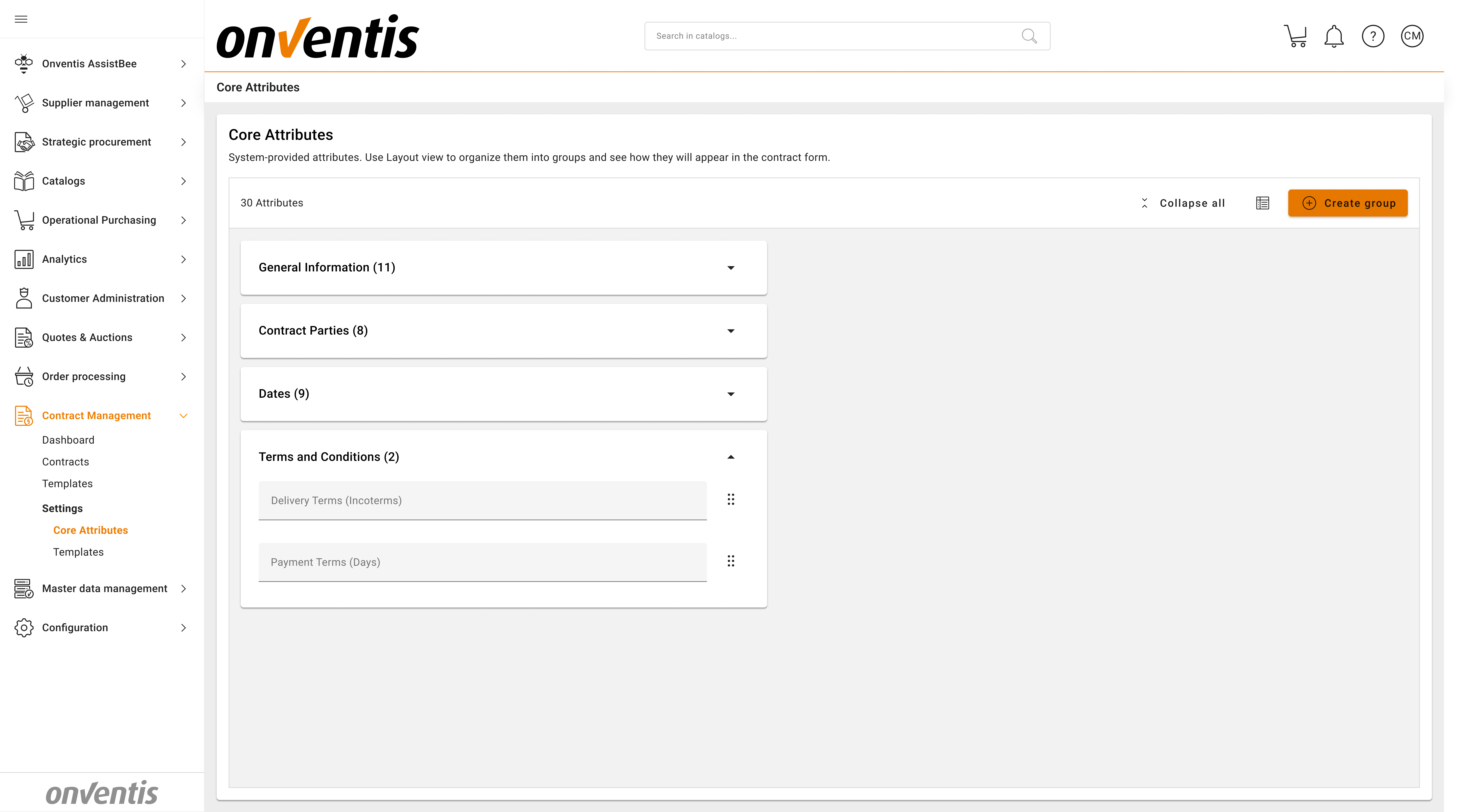
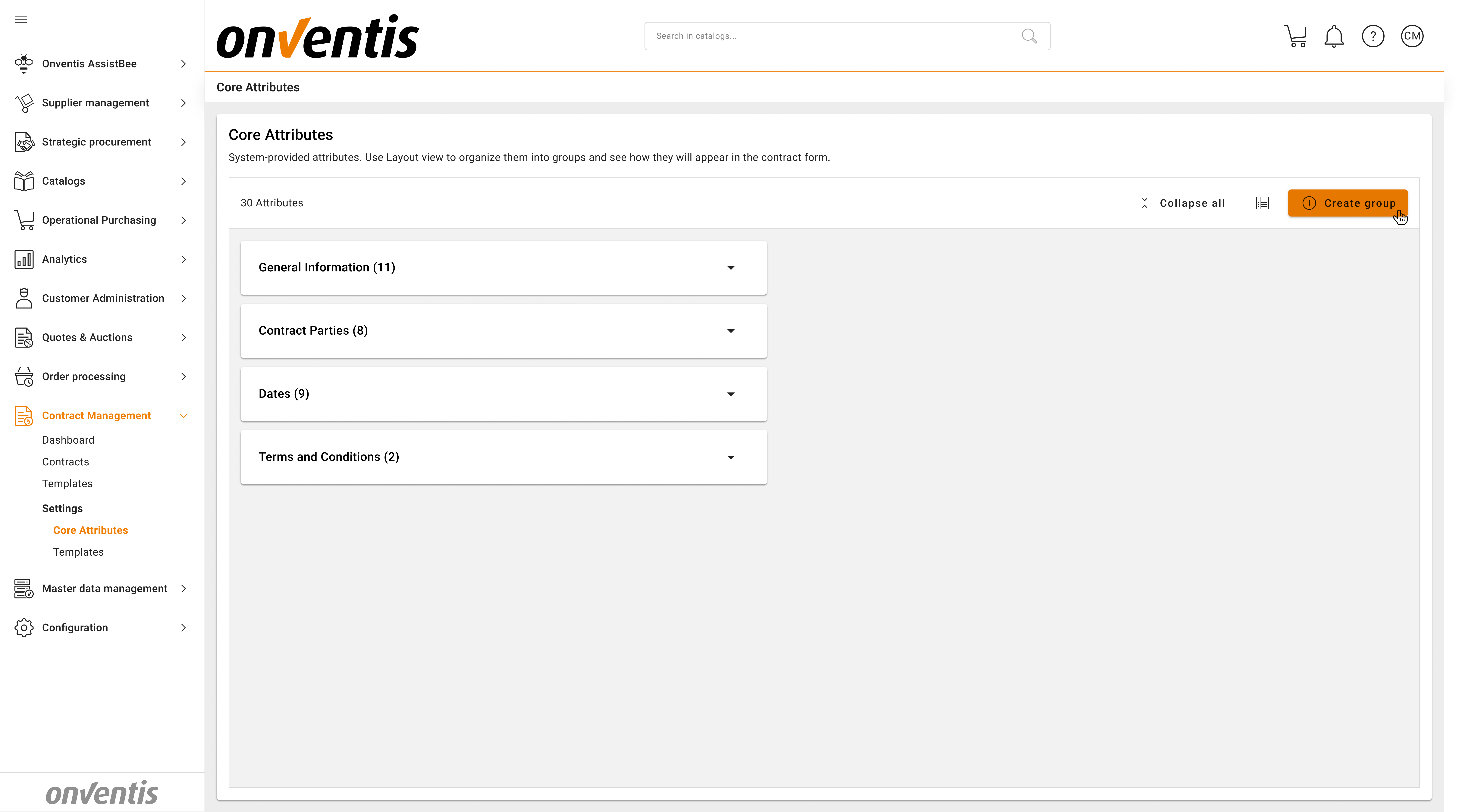
To create new group, click Create Group button in the action panel.
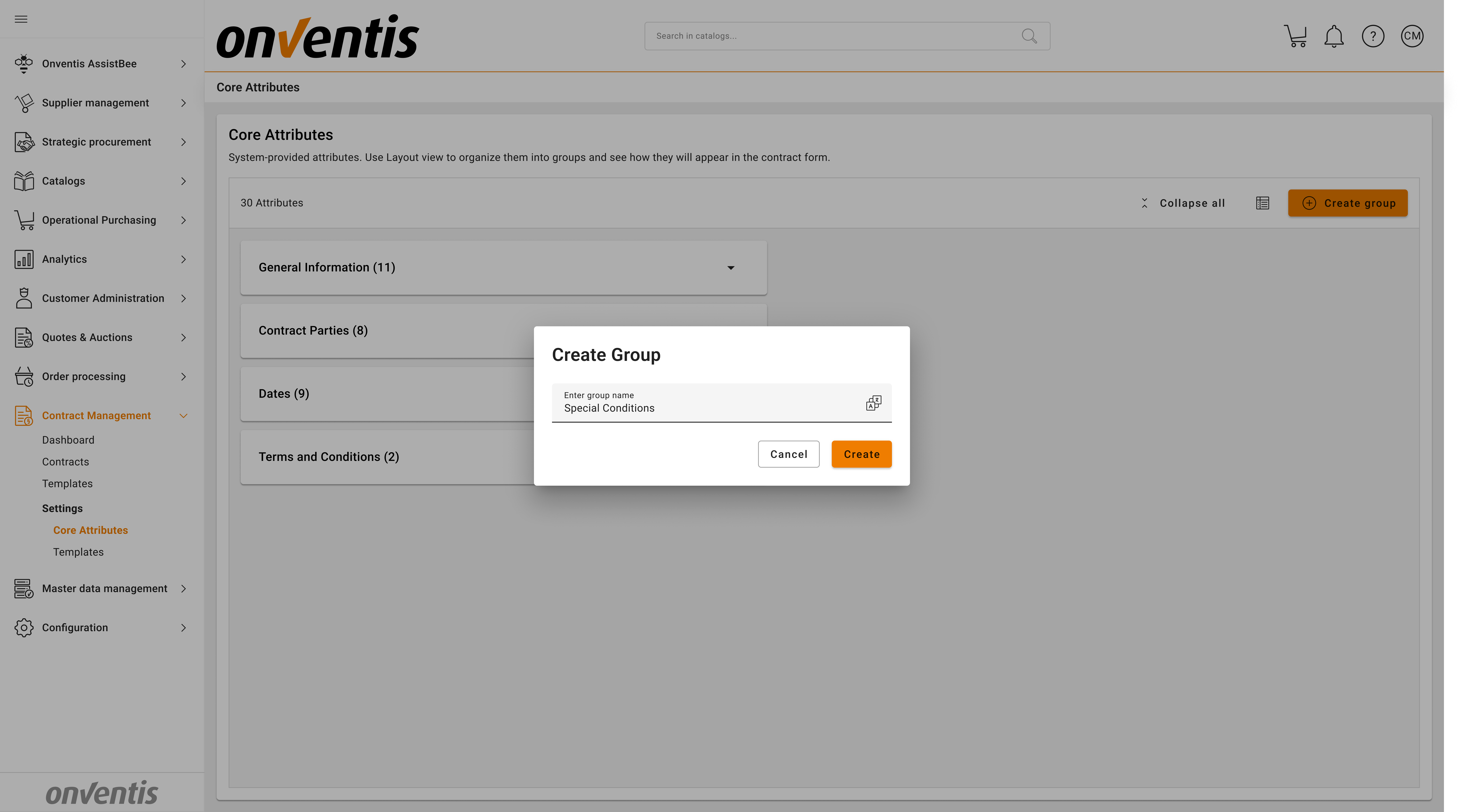
Newly created groups appear at the bottom of the layout.
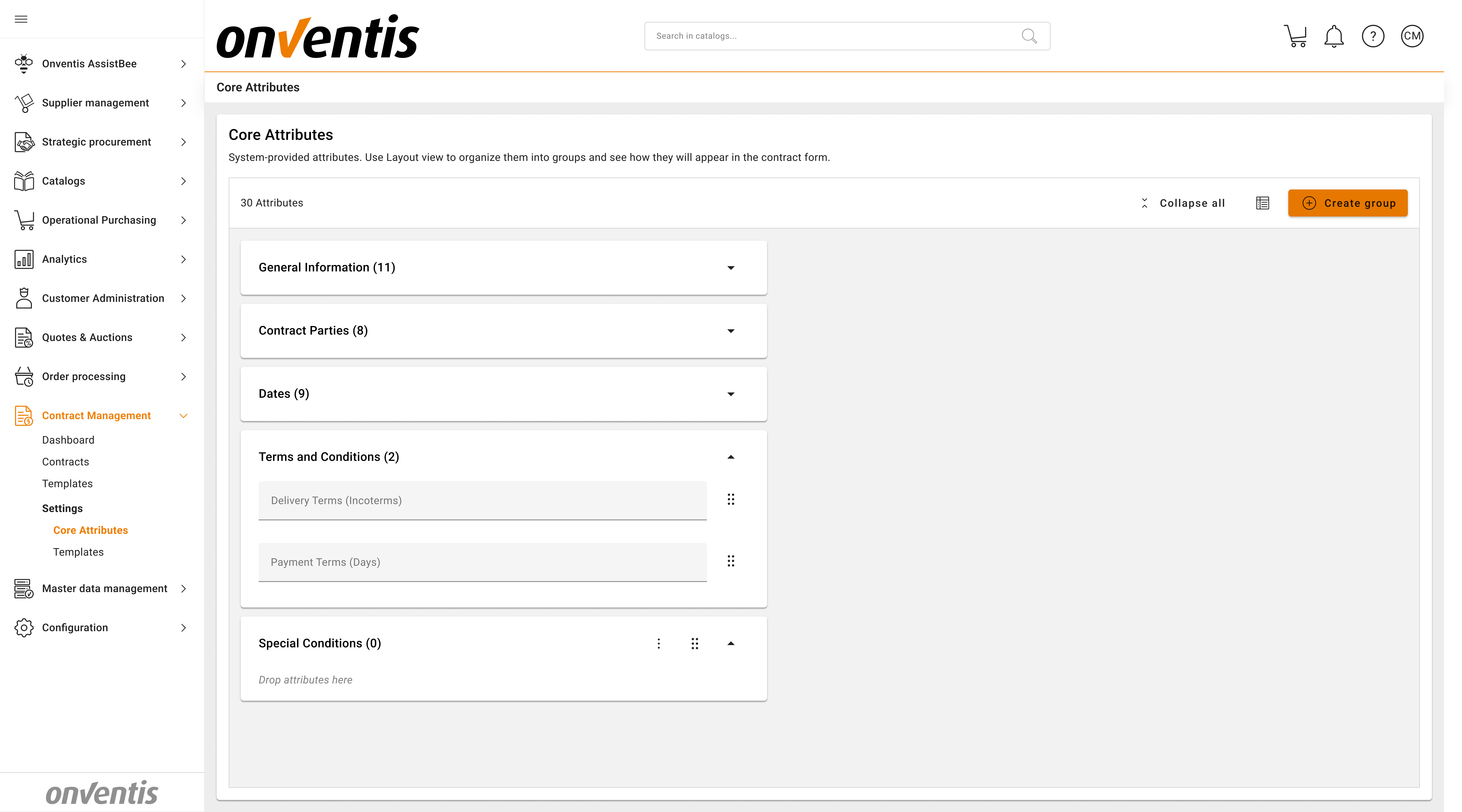
Custom groups can be renamed or deleted at any time.
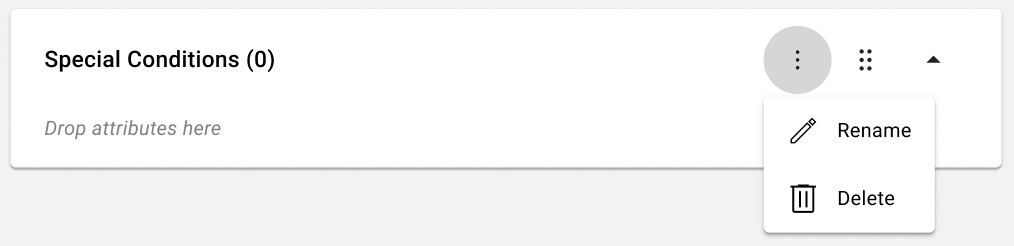
Attributes can be added to and rearranged within newly created groups.
Best Practices

💡 Tips for Effective Use:
Keep frequently used and critical attributes (e.g. contract title, parties, dates) in the top system groups for better visibility.
Avoid creating too many custom groups, as this can make contracts harder to navigate.
Use clear, business-friendly names for custom groups so users immediately understand their purpose.
Maintain a consistent layout across templates to reduce training effort and user confusion.
Review attribute layout changes carefully, as updates apply across all contracts.
Periodically revisit the layout to ensure it still reflects current business and legal requirements.