
AI Questionnaire Response Insights
Overview
AI Response Insights introduces AI‑powered analysis directly within supplier questionnaire responses. Reviewers can now instantly understand key strengths, weaknesses, and an overall assessment recommendation—without manually reading through lengthy questionnaires or validating documents one by one.
The AI evaluates both questionnaire answers and submitted file contents together, providing a more complete and reliable view of supplier compliance and suitability.
Why this change?
Supplier qualification decisions often depend not only on written answers, but also on the quality, relevance, and correctness of submitted documents. Previously, reviewers had to:
Manually cross‑check uploaded files against requested documents
Inspect certificates and other documents to verify whether they are valid, relevant, or complete
Interpret questionnaire answers and files separately
Detect mismatches or incorrect uploads on their own
AI Response Insights removes this manual effort by contextually analyzing questionnaire responses and file content together, resulting in more accurate and explainable qualification outcomes.
Key Improvements
Context‑Aware Strengths and Gaps Analysis
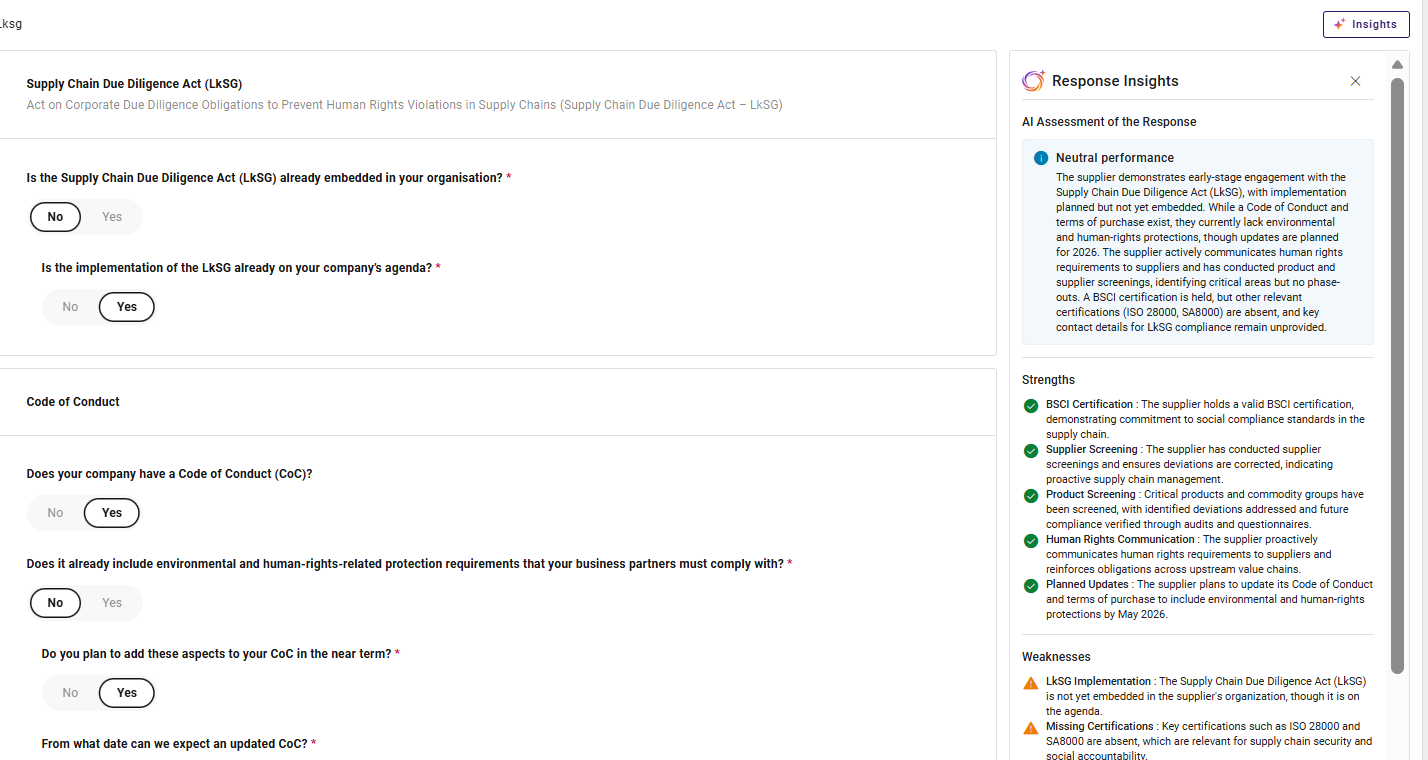
AI now evaluates questionnaire answers together with the content of each submitted file when identifying strengths and gaps.
This enables the system to:
Confirm strengths based on document evidence, not just declarations
Identify gaps where required documents are missing, incomplete, or inconsistent
Distinguish between neutral file submissions and meaningful compliance signals
As a result, strengths and weaknesses reflect the full qualification context, not isolated inputs.
Intelligent File Issues Detection
AI automatically detects file‑related issues by understanding what the buyer requested and what the supplier actually submitted.
For each document request, the system:
Identifies the requested file based on the question context
Analyzes the structure and content of the uploaded file
Checks the validity of the file
Compares intent versus submission to detect mismatches
When discrepancies are found, they are clearly listed in a File Issues section.
Explainable and Actionable Outcomes
All detected strengths, gaps, risks, and file issues are presented in a clear, structured, and explainable format, enabling reviewers to:
Quickly understand why a recommendation was made
Take corrective action where needed
Justify decisions during audits or internal reviews
How to View AI Response Insights
AI Insights is available directly within the qualification workflow.
To generate insights:
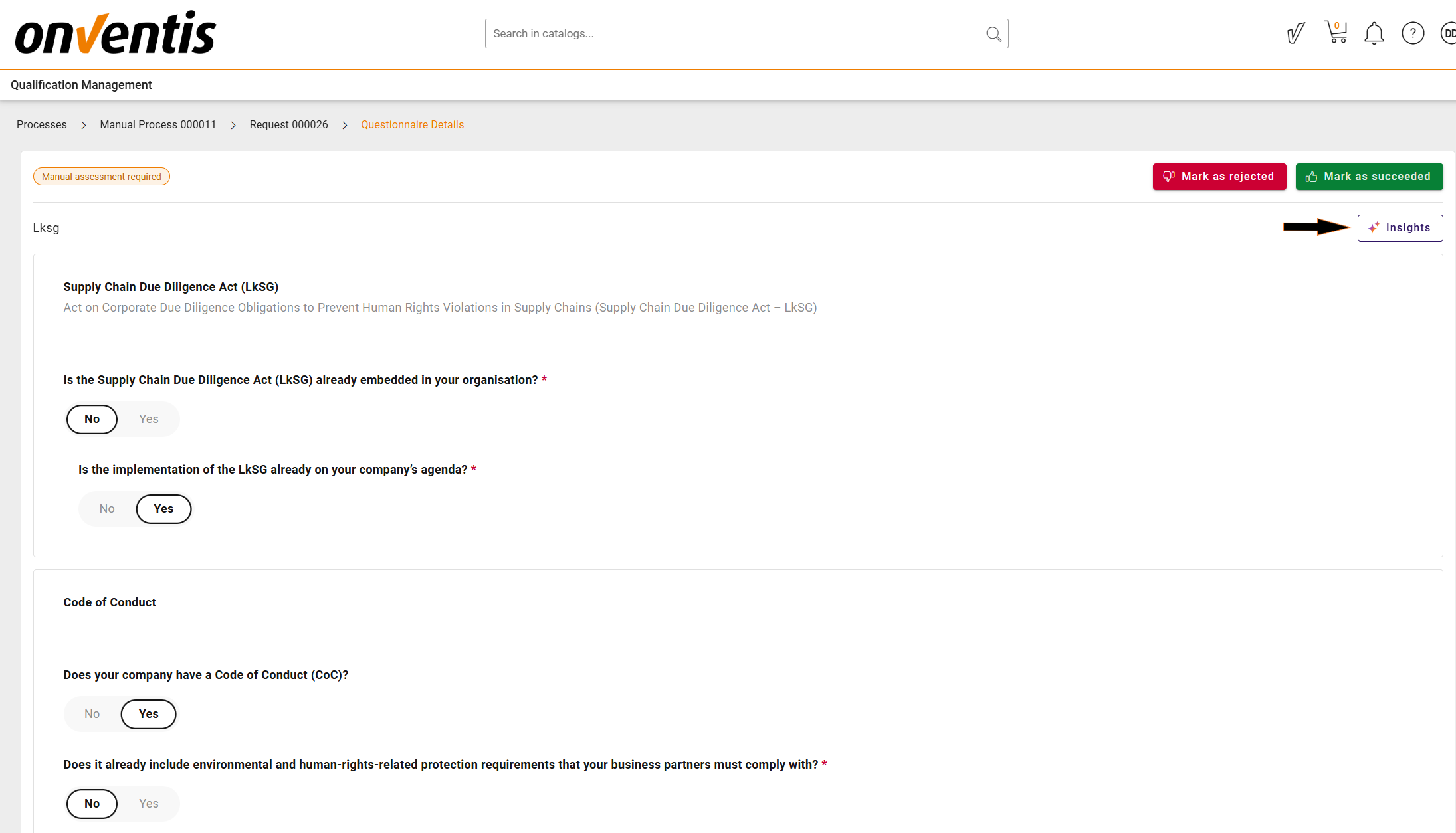
Open a Qualification Request
Navigate to the Questionnaire detailed view
Click the Insights button
Once triggered, AI analyzes the questionnaire responses together with the submitted files and displays the insights in a side panel. The generated insights are stored and reused for all reviewers until the qualification request is restarted.
Important Notes
File and certificate analysis supports decision‑making but does not replace human responsibility
AI insights always reflect the latest submitted response version
Restarting a qualification request resets insights to ensure accuracy
❗ For activation or licensing, contact your Account Manager or insidesales@onventis.de